Phone Cleaner: More Storage
Petro Rybalchenko

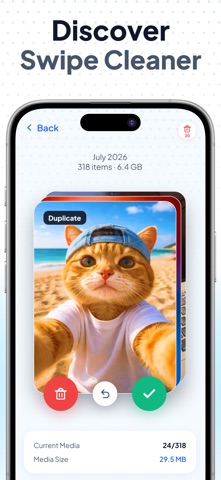
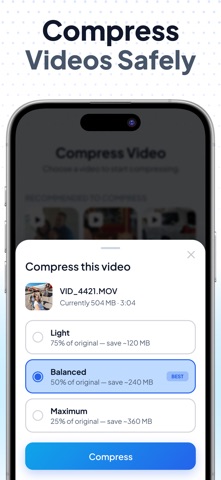
Phone Cleaner finds what is quietly eating your storage: duplicate photos, near-identical shots, blurry frames, forgotten screenshots and videos the size of a small movie. One scan, one cleanup, and you decide what goes. The scan runs on the phone itself. Your photos stay in your gallery, nothing gets uploaded, and it works with Wi-Fi off. WHAT THE SMART ANALYSIS FINDS Duplicates and similar photos come grouped, with the best shot of each series marked so you keep that one and drop the rest. Blurry and overexposed frames get their own pile. Screenshots and screen recordings sit apart from real photos. Large and short videos are sorted by size, so the 2 GB clip from last summer's concert shows up first. Every group opens for a preview. Nothing is deleted until you confirm, and whatever you remove lands in Recently Deleted for 30 days, same as in the Photos app. SWIPE CLEANER Pick a month and go through it like a deck of cards: left to delete, right to keep. Everything you swipe away waits in a trash pile until you tap confirm, so a slip of the thumb costs nothing. COMPRESS INSTEAD OF DELETE Some videos are too big to keep and too precious to lose. Compress them. Light, Balanced or Maximum: a 500 MB video comes back at 375, 250 or about 125 MB, and you choose whether the original stays. The Contacts Manager is free. Merge duplicate contacts, clear out the ones with no name or number, and keep a backup that never leaves the phone. Premium covers every cleanup category in Smart Analysis, plus the Swipe Cleaner and all compression modes. The first 3 days are free, then it renews weekly until you cancel in your App Store settings. Install, run one scan, and see how many gigabytes were hiding in your gallery. Privacy Policy: https://phonecleaner.site/privacy.html Terms of Use: https://phonecleaner.site/terms.html
Screenshots