PowerNFC
ChakMing Wong

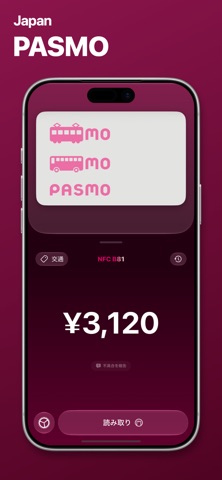
PowerNFC — NFC Reader, Writer, Passport & Transit Toolkit Read and write NFC tags, explore supported electronic passports, and check transit card balances with PowerNFC. From everyday links and contact cards to detailed NFC records, keep your scans organized in one app. Scan with your iPhone, then browse iCloud-synced cards and travel documents on iPad, Mac and Apple Vision Pro. READ & WRITE NFC TAGS • Read NFC tags and inspect their record content • Write text, URLs, Smart Posters, vCards, media records and mobile app records to compatible tags • Create custom NDEF records with control over type, payload and optional identifier • Update writable tags and copy record data for reference or troubleshooting • Preview web links directly in the app CREATE EVERYDAY NFC ACTIONS • Create contact cards and links for your business, projects or home • Encode links for websites, phone calls, messages and maps • Use NFC stickers with Apple Shortcuts for personal automations • Edit contact and structured records with dedicated input fields ePASSPORTS & TRAVEL DOCUMENTS • Read supported electronic passport chips using MRZ-based access • Support for BAC and PACE authentication • Read supported Mainland Travel Permits for Hong Kong and Macao Residents and Exit-Entry Permits for Travelling to and from Hong Kong and Macao • View names, nationality, document numbers, birth dates, expiry dates and chip photos where supported • Create an Apple Wallet pass with supported document details for quick reference TRANSIT CARDS • Hong Kong Octopus: view balances and recent transactions • Mainland China T-Union and selected city cards, including Shenzhen Tong • Japanese IC cards including Suica, ICOCA, PASMO, TOICA, Kitaca, manaca, SUGOCA, nimoca and Hayakaken • Korean cards including T-Money, Climate Card and EZL • Dedicated EZ-Link Beta mode for Singapore • Additional card modes including Edy and OKICA • View fares, timestamps, station names and ride details where supported by the card ORGANIZED HISTORY • Revisit NFC scans, travel documents and transit cards • Search and filter saved activity • Add nicknames to saved cards and documents • Keep saved transit cards and documents organized across repeat scans • Browse themed card views and transaction history • Sync saved cards and travel documents through iCloud A REFINED EXPERIENCE • Liquid Glass styling, Dark Mode and support for over 40 languages • Searchable settings and a refined custom record editor • Responsive keyboard layouts and adjustable panels • Dedicated browsing layouts for iPad, Mac and Apple Vision Pro LOCAL NFC PROCESSING NFC reading, document parsing and chip authentication run on your iPhone. Saved cards and travel documents can sync through iCloud. If you choose to create an Apple Wallet pass, the document details used for the pass are sent to our pass-generation service. Web previews connect to the websites you open. SUPPORT & FEEDBACK Send an issue report from inside the app to help improve tag and transit card compatibility. Discover more of what your NFC tags and cards can do with PowerNFC.
Screenshots