NoteBase: AI Notes, Transcribe
Ancienda

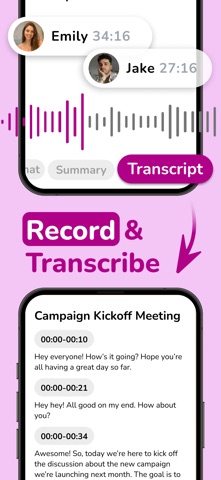
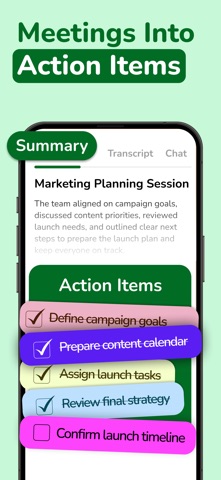
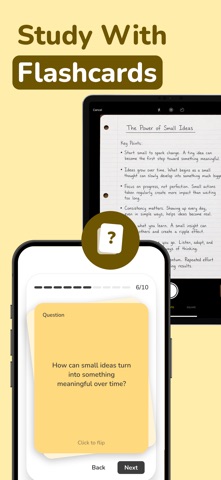
Missed details cost time. NoteBase captures every word so you can stay completely present. Available seamlessly across mobile and web, you can drop in any audio, text, or document, and transform it into an instant transcript and smart summary. FROM OUR USERS: "A solid tool for work. I stopped taking notes during meetings, the app catches the details for me." — David R. "I just upload my lectures and it generates smart summaries. The exam tools are incredibly useful for studying on my commute." — Elena M. WHY NOTEBASE: ► RECORD VOICE & UPLOAD AUDIO Meetings, lectures, or interviews—just tap once and NoteBase captures live audio seamlessly. You can also upload existing audio files to convert them into accurate text and summaries. ► TAKE A PHOTO OR UPLOAD IMAGES Scan a whiteboard or a physical document with your camera, or upload photos directly from your gallery. NoteBase extracts the text and turns it into a ready-to-use smart note. ► SMART YOUTUBE SUMMARIES Turn any YouTube video into a structured note. Simply paste the URL, and NoteBase will generate a full transcript and a concise summary, saving you hours of watching. ► UPLOAD DOCUMENTS Turn PDFs and text files into actionable smart notes in seconds. Upload any document and generate a structured note with key takeaways and concise summaries. ► COPY & PASTE TEXT Have a long article or email? Copy and paste the text directly into NoteBase to turn it into a clear, actionable smart note. ► SEAMLESS WEB EXPERIENCE NoteBase isn't just on your phone. Access your workspace via our website to manage, edit, and export your notes from your desktop. Everything stays perfectly in sync across all your devices. ► GET MORE OUT OF YOUR NOTES • Action Items & Checklists • Meeting & Executive Summary • SWOT Analysis • Pros & Cons List ► STUDY SMARTER WITH EXAM ROOM • Flashcards for long-term retention • Custom Quizzes to test your knowledge • True/False drills for rapid learning ► NOTION SYNC Keep your workflow uninterrupted. Send your smart notes, transcripts, and summaries directly to your Notion workspace with a single tap. ► CHAT WITH YOUR NOTES Can’t remember a detail? Chat directly with your notes. Ask anything and get instant, accurate answers about your notes. ► INSTANT TRANSLATION Convert any note, transcript, or summary into 100+ languages in just a few seconds. Perfect for global teams or studying in a second language. ► FLEXIBLE EDITING Quickly edit your transcripts, adjust your summaries, or add personal comments before exporting. ► EXPORT & SHARE Share transcripts and summaries with your teammates and classmates. Export as PDF or Text, send via Email, or send directly to Notion. ► AESTHETIC DESIGN NoteBase features a calm, intuitive interface with zero learning curve—clean, approachable, and ready to work the moment you open the app. ► PRIVACY FIRST Your data stays yours. All documents are encrypted. You have full control to manage, export, or delete your files at any time. NoteBase will never sell your information. BUILT FOR EVERYONE: Students — Record lectures and study sessions. Revisit key points before exams. Professionals — Capture meetings and client calls with clear, actionable follow-ups. Personal Use — Turn interviews, podcasts, or daily ideas into clear, readable notes. Put note-taking on autopilot. Download NoteBase today and make every word count. In case of any questions, issues, or collaboration requests, contact us at contact@ancienda.com Legal: https://www.apple.com/legal/internet-services/itunes/dev/stdeula/ Privacy Policy: https://notebaseapp.com/privacy Terms & Conditions: https://notebaseapp.com/terms
Screenshots