FullPage Screenshot for Safari
Alfredo Grassau

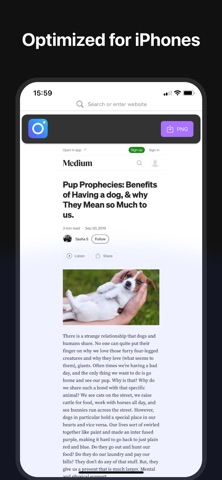
Full Page Screenshot for Safari makes it easy to capture and customize your web content, right inside your browser. Here’s what it offers: Features: - Full page capture: Take seamless screenshots of entire web pages, top to bottom. - Visible area capture: Quickly grab just the visible portion of a website. - Download as PNG: Save your screenshots in PNG format. - Works seamlessly across macOS, iOS, and iPadOS. - Privacy-first design: No data collection. No tracking. Ever. - Multilingual support: Use the extension in multiple languages for global accessibility. - Clean, user-friendly UI: Simple, efficient design that fits any workflow. The macOS version also includes: - Built-in image editor: Add shapes, text, and highlights to your screenshots, no extra tools needed. - Download as PDF: Export your captures as easy-to-share PDF files.
Screenshots