King AI • AI Video Generator
Zeeshan Ahmed

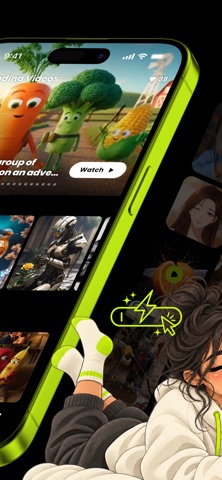
Turn any idea or photo into a video with 280+ AI models in one app. Pick the model that fits the shot, or run one idea on several models side by side and keep the best. You see the credit cost before you create. IMAGE TO VIDEO AND TEXT TO VIDEO • Animate any photo, or describe a scene and watch it become a video. • Guide the shot with start and end frames, camera moves and reference images. • Draw arrows on a photo to show where things should move. • Extend a video, edit it with supported models, and upscale it to 4K. • Not sure which model to pick? Let Auto choose one for your idea and your credits. LIP SYNC, TALKING PHOTOS AND AVATARS • Make a portrait talk with a voice you choose. • Sync the lips in a video to a new voice track. STORYBOARDS AND LONGER STORIES • Turn one idea into a storyboard of up to 8 scenes with a shared look. • Open any scene in a video or image tool when you are ready. • Train a character from your own photos for supported image models. IMAGES, ANIME AND ART • Create art, anime, portraits and illustrations from text. • Edit a photo with words, or draw on it to show what to add or take away. • Retouch an area, expand an image, remove backgrounds and upscale. • Turn a description or a single picture into a 3D model. MUSIC, SONGS AND SOUND • Create music and songs from a description or your own lyrics. • Add voiceovers and sound effects. • Describe a scene and get its voices, sounds and music in one track. 200+ VIDEO EFFECTS • One-tap video effects across 12 categories, from dance to cinematic scenes. • Put yourself, a place or a product into a photo effect. VIDEO TOOLS • Add subtitles, or cut a long video into short captioned clips. • Cut out the subject, relight or recolor a shot, and convert it to HDR. • Check whether a clip will hook viewers before you post it. ADS, POSTERS AND MOTION DESIGN • Turn a product photo, a person and a look into a ready-to-post ad or poster. • Paste an App Store link or a product page and get a 15-second promo video. • Pick a finished ad and make it again with your own product. • Design animated titles and text videos layer by layer. COMMUNITY • Share your best work, follow creators and see what is trending. • Earn badges for what you make and pin your favorites to your profile. NO PRICE SURPRISES See the credit cost before every generation. If a generation fails for a technical reason, you get the credits back automatically. Every plan includes the same 280+ models; credit costs depend on the model and settings. In most countries, your first video is on us when you create an account. Choose Starter with 100 credits a month, Standard with 250 or Pro with 500. Every paid month adds bonus credits on top. Need more for one project? Add a one-time credit pack, no subscription needed. Bigger packs include bonus credits. Subscriptions renew automatically each month and are charged to your Apple Account. To stop the next charge, turn off auto-renew at least 24 hours before the period ends. Manage or cancel any time in your App Store account settings. ON IPHONE, IPAD, MAC AND THE WEB Your library and credit balance follow your King AI account everywhere, and the app speaks 31 languages. Share results without an added King AI watermark, organize them into collections and remix community creations. Support: https://kingaivideo.app/support Terms of Use: https://kingaivideo.app/terms Privacy Policy: https://kingaivideo.app/privacy
Screenshots