Teleprompter: Script Recorder
Jayshri Pipaliya

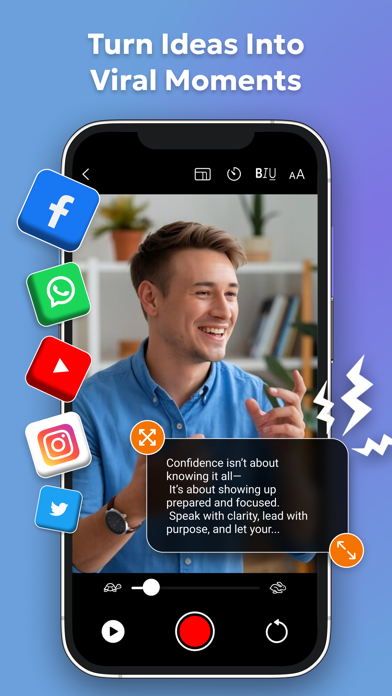
Read your script and record professional videos without breaking eye contact. Teleprompter: Script Recorder turns your iPhone or iPad into a powerful teleprompter app for smooth delivery, perfect pacing, and confident on-camera performance. Teleprompter: Script Recorder is a modern teleprompter designed for creators, professionals, educators, and speakers who want clean, natural delivery while recording. This prompter app combines a precise script reader with high-quality video recording, helping you stay focused, confident, and camera-ready at all times. Whether you are filming social videos, online courses, presentations, interviews, or speeches, the teleprompter for video app pro experience ensures your message flows naturally. Your script scrolls smoothly while you record, so you never miss a line and never look away from the camera. Script. Read. Record. Deliver with confidence. KEY FEATURES – Script Creation & Editing - Create, edit, and refine scripts directly in the teleprompter app for fast preparation. – Import from Files & Cloud - Import TXT, Word, and PDF files easily and keep scripts accessible across devices. – Video Recording - Record high-quality videos while reading your script with perfect alignment. – Custom Scroll Speed - Control pacing precisely for natural delivery at your speaking speed. – Mirroring Options - Use horizontal or vertical mirroring for any teleprompter setup. – Font & Layout Control - Adjust font size, style, margins, and alignment for clear readability. – Bluetooth Controller Support - Use a keyboard or teleprompter controller to scroll hands-free. – Custom Shortcuts - Set personalized controls to manage scripts faster during recording. – AI Rephrasing Assistance - Polish your content with AI-powered sentence improvements. – Unlimited Script Storage - Store and manage unlimited scripts inside the teleprompter workflow. – Offline Mode - Use the teleprompter without internet access anywhere. – External Microphone Support - Record clear audio using USB microphones on supported devices. – Rotation & Resolution Lock - Rotate your device freely without losing video quality. – Portrait Mode with Blur - Create clean, professional videos with background blur support. – Stable, Bug-Free Performance - Optimized updates ensure smooth recording and reading. BUILT FOR REAL-WORLD USE This teleprompter for video app pro is designed to feel effortless. The script reader stays perfectly aligned with the camera, helping you maintain eye contact and deliver naturally. From quick social clips to long-form recordings, the teleprompter adapts to your workflow. FOR CREATORS AND PROFESSIONALS Ideal for vloggers, marketers, educators, speakers, journalists, and teams. Whether you need a teleprompter auto-subtitler workflow, a clean script reader, or a reliable teleprompter controller setup, this app supports professional results without complexity. WHY CHOOSE TELEPROMPTER: SCRIPT RECORDER If you need a dependable teleprompter app that balances simplicity with powerful controls, this is the solution. With flexible customization, smooth scrolling, and integrated recording, the teleprompter helps you speak clearly, confidently, and consistently on every take. Turn your device into the teleprompter that works the way you do. Download Teleprompter: Script Recorder and elevate every recording. Privacy policy: https://jayshripipaliya.blogspot.com/2024/06/privacy-policy.html Terms of use: https://jayshripipaliya.blogspot.com/2024/06/terms-of-service.html Still, have questions or comments? Reach out to us at: jayshrikanani014@gmail.com
Screenshots