Pluma
Marc Kerstein

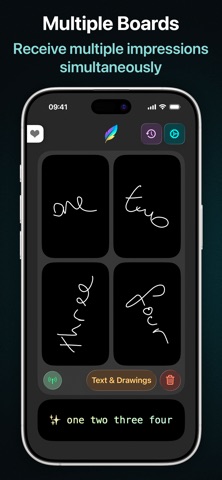
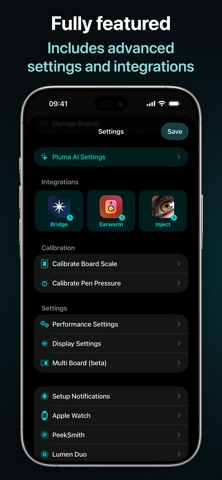
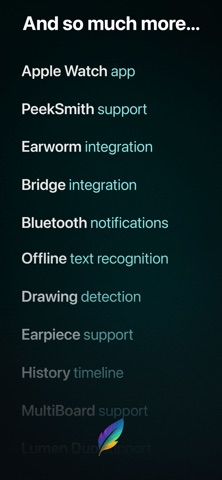
Pluma is a fresh take on an impression board app, connecting to the boards you may already own. It offers dramatically better text recognition, more powerful features, and a far cleaner design. It's more capable and easier to use than the core apps that come with most impression boards. It also connects with my suite of apps as well as many third party apps, devices and services, enabling brand new routines never before possible. Features include: ** Advanced AI Text and Drawing Recognition Pluma AI offers best-in-class AI recognition, which can detect handwritten text AND drawings, in any orientation. ** Pluma AI Optimization Optimise Pluma AI for what's being written: text & drawings, celebrity names, playing cards, cities, numbers, songs, zip/post codes and more. It can even answer a written question, or give a celebrity's birthday. ** Multiple Board at Once Receive peeks from multiple impression devices simultaneously. Split View shows who wrote what. ** Offline Sync Lost connection mid-performance? Supported devices automatically redraw everything as soon as they reconnect. ** Automatic Writing Detection Pluma detects which way the writing is facing, and can automatically turn it the right way up, so pads can be used in any orientation. ** Earworm Integration Make a prediction in the YouTube app on your spectator's phone. Then, have your spectator write the name of any song on the impression pad. Pluma AI integrates with Earworm to do the rest: they just turn up the volume on the spectator's phone to find the chosen song playing in their YouTube app! ** Supports Multiple Board Types Currently supports boards from Lumen Pro, Iarvel, Pitata, Ultra Sharpie, Ultra Sharpie Neo, Oblivious Engage, NOVA Sharpie, PMA and Wave, with more brands added over time. ** Offline Text Recognition For times when there's no signal, Pluma includes excellent real-time offline AI text recognition at no extra charge. ** PeekSmith & Lumen Duo Integration Pluma connects directly to PeekSmith and Lumen Duo, letting you get a covert peek during performance. ** Earpiece Support Pluma can automatically speak the recognised text to a hidden earpiece. ** Apple Watch App Peek the drawing and text with Pluma's custom built Apple Watch app, with optional covert mode. ** Notifications Compatible with any Bluetooth peek device that supports third-party notifications. ** Bridge & Inject Integration Automatically send your peek to the Bridge or Inject apps, which integrates Pluma with many magic apps, services and devices. ** Powerful Features, Easy To Use Pluma brings multiple, advanced innovations from my previous apps (such as Touch To Peek and app integration via polling), though is built to be easy to use and understand. ** Much More Pluma offers features to automatically scale, automatically send peek data and automatically clear. It offers per-board calibration settings, AI optimisation settings, intuitive history features, auto-save to photos, board battery indicators, and much, much more. Pluma requires a physical impression board. It currently supports boards from Lumen Pro, Iarvel, Pitata, Ultra Sharpie, Ultra Sharpie Neo, Oblivious Engage, NOVA Sharpie, PMA and Wave, with more brands added over time. Pluma works in multiple languages, including Arabic, Chinese (Simplified), Chinese (Traditional), Czech, Danish, Dutch, English, French, German, Indonesian, Italian, Japanese, Korean, Norwegian, Polish, Portuguese, Romanian, Russian, Spanish, Swedish, Thai, Turkish, Ukrainian and Vietnamese Online AI recognition features require the use of in-app credits (with some provided on purchase), or you can provide your own API key with multiple providers. Offline AI text recognition is included for free. No subscription or device fee needed. Pluma is offered for entertainment purposes only.
Screenshots