Haptics Touch: Vibration Test
Keyhan Mortezaeifar

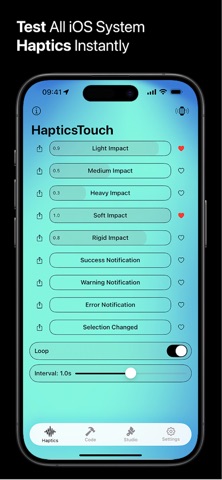
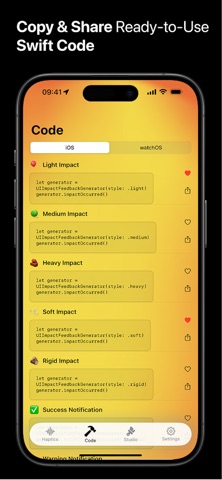
You know the haptic you want. You just need to feel it before you write the code. Explore and test iOS and watchOS haptic feedback patterns with HapticsTouch. Perfect for developers and designers, this ad-free tool lets you: • Interactively experience default haptic patterns. • Favorite and organize preferred haptics. • Instantly share Swift code snippets for seamless implementation. • Use the Apple Watch companion app to feel haptics directly on your wrist. • Bring life to your app with Emotional Signatures: actions & emoji haptics and animations ready to copy. Apple Watch Companion Use the Apple Watch app to: • Feel haptics directly on your wrist on loop or not • Test patterns remotely from your iPhone Create Custom Haptics Go beyond system haptics with the new Haptic Studio: • Record custom haptic patterns • Adjust intensity, sharpness, and timing • Export custom Core Haptics code for your apps Enhance your apps with tactile feedback using HapticsTouch. Available Haptic Patterns: iOS • Light Impact • Medium Impact • Heavy Impact • Soft Impact • Rigid Impact • Success • Warning • Error • Selection Changed watchOS • Click • Notification • Direction Up • Direction Down • Navigation Maneuver (code only) • Navigation Left Turn (code only) • Navigation Right Turn (code only) • Retry • Start • Stop Available Emotional Signatures: Actions • Launch • Save • Delete • New • Favorite • Loading • Knock Emojis • Like • Love • Laugh • Surprised • Sad • Angry Don't hesitate to request more with the button "Send Feedback & Feature Request" in Settings! Terms of Use: https://www.apple.com/legal/internet-services/itunes/dev/stdeula/
Screenshots