SnapVoice: Photo Text Reader
Chengdu Weicao Youfang Technology Co., Ltd.

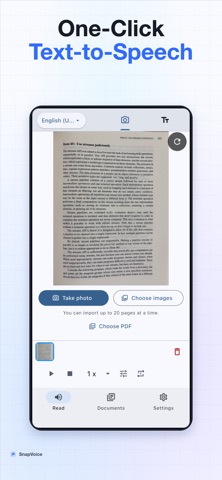
Take a photo. Hear the text. SnapVoice is a photo text reader, OCR scanner, and read-aloud app that turns printed pages, images, and PDF documents into speech. The core photo-to-speech workflow is free: recognize and listen to up to 10 new pages every day. FREE PHOTO READING • Take a photo or import one or multiple images • Recognize printed text with on-device OCR • Listen with clear text-to-speech • Use standard 0.5x, 1x, and 2x playback speeds • Keep unlimited history and continue reading across pages • Copy recognized text and delete saved images DOCUMENT TOOLS Build a searchable reading library from notes, handouts, recipes, articles, and study material. Rename documents, search titles or recognized text, and resume where you stopped. OPTIONAL REWARDED ADS Rewarded videos appear only when you choose an advanced action: • Add 5 OCR pages for the day • Unlock fine speech rate and pitch controls for 30 minutes • Unlock editing and export for the current document session • Import one PDF and receive 5 additional pages Rewarded ads are limited to two views per day. Core photo OCR and read-aloud remain available within the daily free allowance. PREMIUM Upgrade when you want: • Unlimited OCR and PDF import • Unlimited text editing and export • Fine speech rate and pitch controls • No ads PRIVATE, ON-DEVICE READING Photos, PDF pages, recognized text, and reading history stay on your device. OCR and speech processing work locally, so your reading content is not uploaded to SnapVoice servers. SnapVoice is useful for: • Students listening to notes and handouts • Readers who prefer audio or need accessibility support • Language learners checking pronunciation and pacing • Professionals reviewing printed reports hands-free • Anyone who wants to turn a photo into speech HOW IT WORKS 1. Take a photo or choose images. 2. Review the recognized text. 3. Tap Play to hear it aloud. 4. Adjust speed, move between pages, or save it to your library. No account is required. Start with a photo and listen. Terms of Use: https://www.apple.com/legal/internet-services/itunes/dev/stdeula/
Screenshots