Chess Cheat - AI Solver
Pixel Works Software SRL

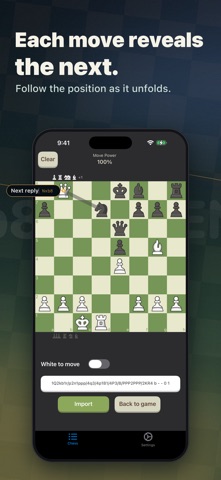
Analyze screenshots, solve chess puzzles, and study games you've already played. Import a screenshot from Chess.com or Lichess, and the app will recreate the position for analysis. If you're using a different platform, you can tap the FEN option at the bottom of the screen to import a specific position. Once the position is ready, the advanced chess engine analyzes it and suggests the best move within seconds. Move pieces directly on the board to explore different variations. After each move, the engine automatically analyzes the new position and recommends the next best move. The Move Power indicator shows the strength and progress of the analysis. When it reaches 100%, the engine has completed a search depth of 25. The app is designed for: • Chess training • Puzzle solving • Post-game analysis • Exploring FEN positions • Studying different moves and variations Please use the app responsibly. Do not use external assistance during live games, and always follow the fair-play rules of the platform on which you play. Also available on other platforms. Learn more at: https://www.pixelworkssoftware.com/chessai/ Terms of Use (EULA): https://www.apple.com/legal/internet-services/itunes/dev/stdeula/
Screenshots