Revinate Mobile
Revinate

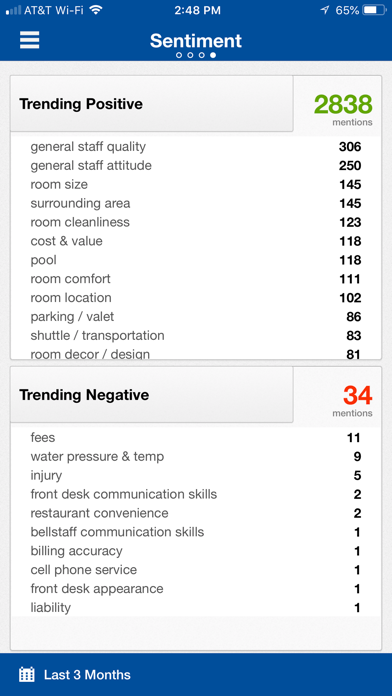
The Revinate mobile app gives you one-tap access to your online reviews, surveys, and reputation reporting. Now you can stay connected by monitoring, reporting and taking action on reviews and on any changes to your hotel's guest feedback anytime, anywhere. For current Revinate customers only. Key features include: MANAGING REVIEWS & SURVEYS • View your full review & survey stream • Receive in-app notifications for new reviews & surveys that arrive • Respond directly to online reviews & surveys • Access filtered views of your review & survey stream • Take action on reviews - Manage and assign tickets - Reply to reviews & surveys - Save a review or survey - Post to Facebook or Twitter - Forward a review as a text message or email - Translate reviews REPUTATION SNAPSHOT • Review overview report • Engagement summary including social media site activity and review response coverage • Positive, neutral and negative review reporting • Sentiment mention summary and trend reporting -- What's the word on the Revinate mobile app? “Logging in to the Web-based site to take action can sometimes be cumbersome given the fact that my job often keeps me away from my desk. I like that I can, by using the Revinate mobile app, receive alerts, research and respond to travelers concerns on the app, from anywhere.” - Scott Youngblood, GM at The Hilton Minneapolis St. Paul Airport, Mall of America “Revinate’s mobile app is an invaluable tool for all of our managers. Being able to save and respond to reviews on the go is vital to staying on top of our guest’s observations and sentiments.” - Guy Wheelwright, GM, Bambara
Screenshots