Silhouette Editor
Masanori Katsuta

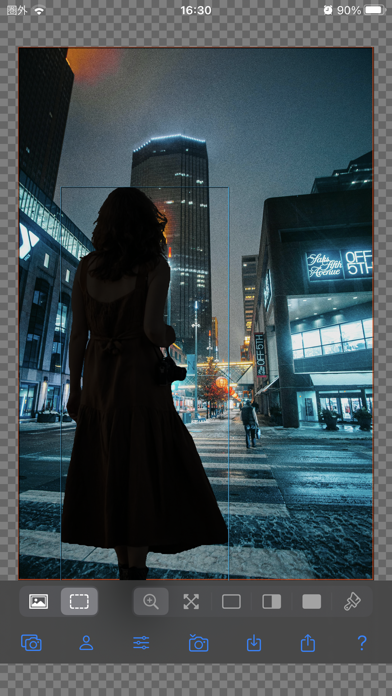
■ Use two photos, one for the foreground and one for the background, to create a single photo. ■ Darken the foreground photo to easily create a "silhouette composite photo." ■ Background transparency is fully automatic. Enjoyable and quick photo compositing. ■ To fine-tune the automatic background transparency, you can enlarge the image and edit in detail. ● Foreground recognition function automatically makes only the background of the photo transparent. ● Adjust the brightness of the foreground and background using the brightness graph. ● Leave only the foreground you want to focus on, such as people, pets, cars, buildings, and flowers, and create a silhouette composite with another background. ● Zoom and scroll the image to correct foreground recognition errors and make detailed corrections to transparent parts. ● Zoom, rotate, and edit the position of the foreground and background. ● Copy, save, and share transparent images and composite images. ● Save transparent images to a collection (reusable) [Photo Selection] ・Launch the camera and take a photo. ・Select a photo from the photo album. ・Select a foreground image from a collection. ・Import shared files from other apps. ・Paste photos copied from web images, etc. [Outputs] ・Save to camera roll: Photos ・Share photos: AirDrop, LINE, Facebook, Dropbox, Instagram,...
Screenshots