Origin: Barcode Scanner
OBRT NUCLEUS Mostar

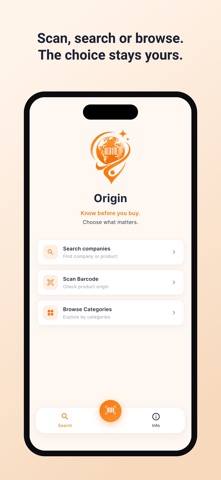
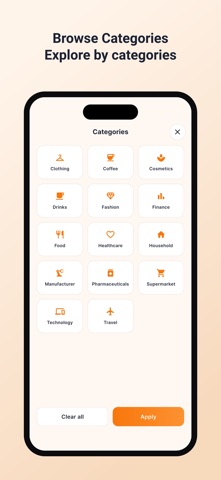
Origin helps you know what you are buying. SCAN A BARCODE, SEE THE ORIGIN Point your camera at a product barcode and Origin shows the country tied to that barcode prefix — flag, country name and the raw number — in about a second. Keep scanning down the aisle without stopping between products. SEARCH THE COMPANY BEHIND THE BRAND Look up a company or a product by name and read what is on record: a short summary, the detail, and the categories it operates in. Or browse by category instead — food, drinks, coffee, cosmetics, clothing, healthcare, household, technology, finance and more. EVERY ENTRY COMES WITH SOURCES No claim stands on its own. Each company links out to the references it is based on, so you can open the original, read it, and decide for yourself. UN VOTE CONTEXT Where it applies, a scan also shows how that country voted in the UN General Assembly on 27 October 2023 on a ceasefire in Gaza. HONEST ABOUT WHAT A BARCODE CAN TELL YOU A barcode prefix identifies the GS1 organisation that issued the number — usually, but not always, the country where the company registered. It is not proof of where a product was manufactured. Origin says so plainly inside the app instead of pretending otherwise, and links to the references so you can check. WORKS OFFLINE The whole company database ships inside the app. No account, no sign-up, nothing to download — it works in the shop with no signal. FREE, WITH NO ADS Origin is completely free. No ads, no subscription, no in-app purchases, no tracking. 48 LANGUAGES Available in 48 languages, with light and dark themes. FOUND SOMETHING WRONG? The data is community-checked and never finished. If an entry is wrong, out of date or missing, send us the company, the correction and a source and we will review it: origin.app.info@gmail.com
Screenshots