SumTotal Next
SumTotal Systems

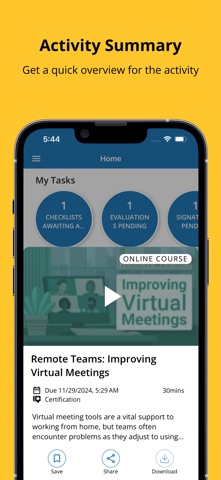
To improve the user experience, we have redesigned the SumTotal Mobile app to provide a more intuitive interface, simplify navigation, and streamline workflows. • Modern interface with minimalistic and flat design for a cleaner look and feel. • Optimized dashboard widgets to show elements that are of absolute significance and compulsion. • Introduced vertically scrollable widgets to keep user focus on important training along with larger activity cards for improved touch interaction. • Additional widgets exclusive to the new Mobile app: o Banners: Shows the mobile version of the banner (if configured). o Recommend Learnings: This mobile widget uses tabs to combine the browser widgets Top-Rated Recommendations, Skill-Based Recommendations, and Recent Search Recommendations. • Redesigned Search and Library pages for high usability with prioritized search elements for better clarity and focus. • Support for saved search filters. • New activity “mini summary” slide out so learners can quickly view key information about their training. • Redesigned Activity Details page to make it easier to view information and perform common tasks like launching or sharing an activity. • Faster load times through code optimization and caching strategies.
Screenshots