AI Golf Distance - SuperCaddie
리소컨버젼스

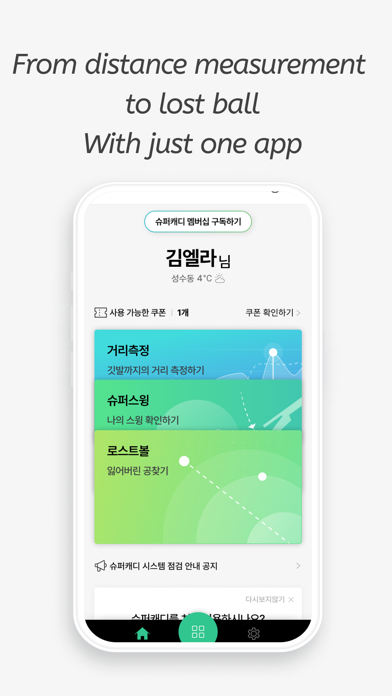
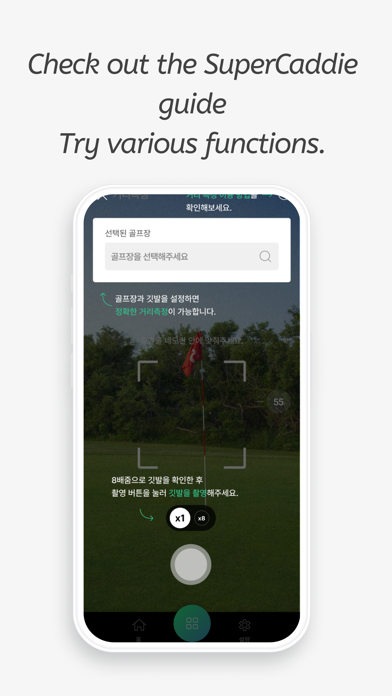
AI Golf Distance Measuring Device - SuperCaddie Measure distances with your smartphone instead of expensive rangefinders. A must-have app for a good score! Measure distances instantly with SuperCaddie. Download SuperCaddie and get distance measurement results via voice guidance. ============================ [Key Features] AI Golf Distance Measurement Align the flag with the center focus of the screen and press the [Capture] button to measure the distance to the flag. Effective measurement distance: up to 200m Change distance units: Yard (Y) ↔ Meter (M) Set flag size: Choose the size of the flag for the specific golf course Voice Guidance for Distance Measurement Results (Requires data) ※ If you do not hear the voice even after turning on the sound setting, please check if the phone's mute function is enabled. Hole Map: Check the location of nearby flags (Requires data) Touch the [Map] icon to get the location of nearby flags and the distance to the flags. If the flag is not recognized, it guides the straight-line distance to the point touched on the map. [Additional Features] Set flag size Change distance units (Y: Yard / M: Meter) Voice guidance settings (on/off) Change system language [How to Use] ① Download and launch the SuperCaddie app ② Align the flag with the center focus of the screen and press the [Capture] button ③ Check the distance measurement result and [Save] or [Edit] the image ④ Press the [Share] button to share the image with friends or family ※ Note ※ Ensure that the location and camera functions are turned on. You must allow SuperCaddie's permissions for location, camera, and storage to use the service. Some services (map, voice guidance) require a data or Wi-Fi connection. Distance measurement accuracy may be reduced outside of golf courses, so we recommend using the app within golf courses. [Supported Languages] Supports all system languages, including English, Japanese, and Chinese. [App Access Permission Guide] The following permissions are required to provide the service. ● Location Used to measure golf distances and find nearby flag locations. ● Camera Used to measure golf distances. ● Storage Used to save the image after distance measurement is completed. Apple EULA https://www.apple.com/legal/internet-services/itunes/dev/stdeula
Screenshots