Very Long Screenshot Maker
Dehui Chengzhen

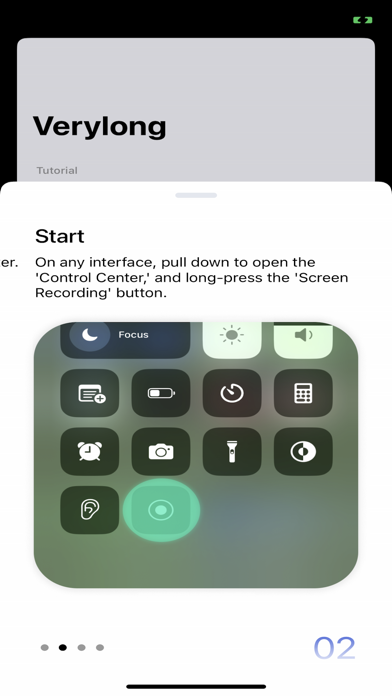
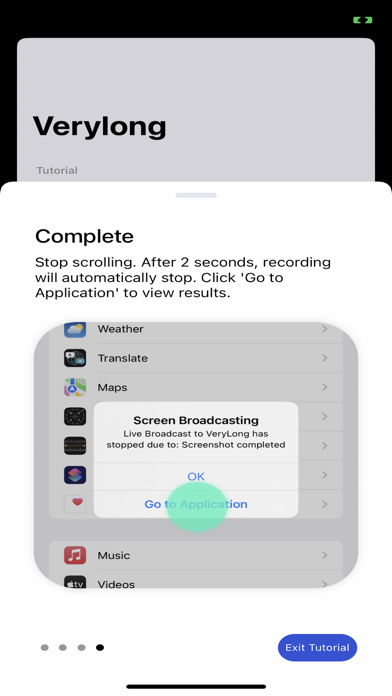
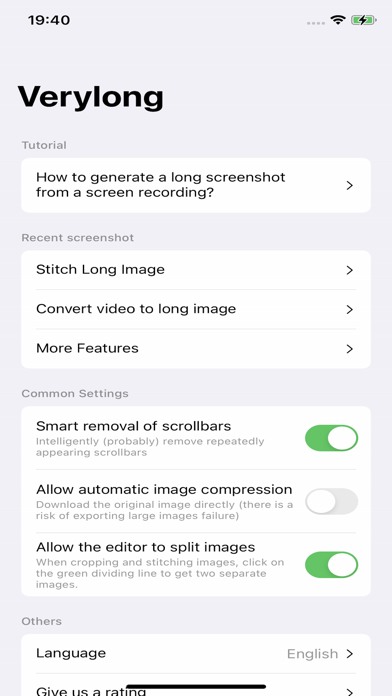
With this software, you can easily capture content that extends beyond a single screen. Here are the simple steps: **Preparation:** OPEN Settings; select Control Center; ensure the Screen Recording option has been added: **Steps:** 1. Prepare the content you want to capture, ensuring that dynamically loaded content is fully loaded. 2. Pull down the control center, long-press the screen recording button. 3. Choose the "Verylong" option, then click on start recording. 4. Return to the content page you want to capture before the countdown ends. 5. When the recording button is illuminated, start scrolling through the page. 6. Lift your finger from the screen at the desired endpoint for recording and wait for 3 seconds. 7. After 3 seconds, a pop-up window will appear, click on "Go to the app." Congratulations, you have completed the screenshot operation! User Agreement:https://metal-basin-5f3.notion.site/Pro-Verylong-Terms-of-Use-7adc43bede7846f9996541e8def24566?pvs=4 Privacy Policy: https://metal-basin-5f3.notion.site/Pro-Very-long-Privacy-Policy-c43443aaa77049f5a33bf97a985f0bdf?pvs=4
Screenshots