WeatherApp: Forecast & Widget
Vadim Dzerniuk

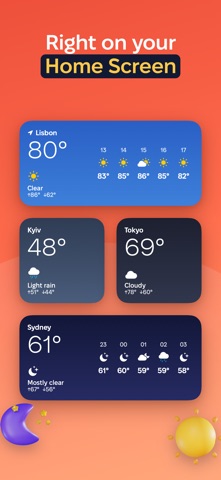
The weather where you are and in the cities you follow. Open the app and see what it's like outside, what the next hours bring and the forecast for the next 10 days. WHAT YOU GET • Current conditions: temperature, what it feels like, today's high and low. • An hourly forecast for the next 24 hours, with the chance of rain. • A 10-day forecast. • Details: humidity, wind and gusts, UV index, pressure, sunrise and sunset, today's precipitation, visibility. • Your location first, then the cities you add. Swipe between them. • A widget for the Home Screen and the Lock Screen that refreshes itself. • A morning forecast notification at a time you pick. • A heads-up when rain or snow is due within two hours. The check runs in the background, so it can be late. • Without a connection, the last forecast stays on screen with the time it was updated. • The background follows the weather and the time of day. • °C or °F, m/s, km/h or mph, mmHg or hPa. PRIVACY No ads, no accounts, no analytics. Your location stays on your phone. Coordinates go only to the Open-Meteo weather service and the BigDataCloud place-name service, to show the forecast and the name of your city. Weather data: Open-Meteo.com (CC BY 4.0).
Screenshots