Link360: Location Tracker
Pin Creation Technology Co., Ltd.

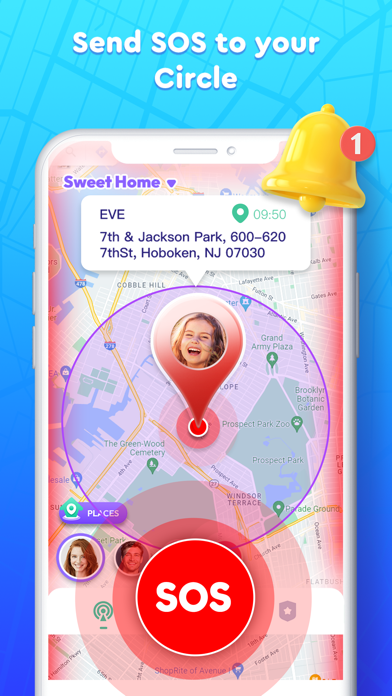
Family Locator: Link360 is a new location tracker app that helps you stay connected with your family, friends, and the people in your life. With your family members' consent, Link360 makes it easy to keep a closer bond with them. Stay connected with your loved ones! Create a Circle Set up an end-to-end encrypted Circle with 5 to 30 people to keep your family safe. Use Link360 to check their locations anytime you need! Share real-time location on map Create private Circles. Within the Circle (private network), you can see real-time location sharing for all members. Location History View the location history of Circle members. Perfect for parents looking for a parental control app with a find-my-kids feature. SOS & Notification Send or receive SOS signals within your Circle. Get alerts when Circle members drive over the speed limit or have a low battery. Private Chat Start a Private Chat with your loved ones in a Private Channel and check their location on the map to strengthen your family connection. Place entry/leave Set up an E-fence to get notified when Circle members enter or leave specific places. Download Link360 now to build a strong, safe, and accurate family connection! Please note: Link360, the family phone number tracker, can only be used with the consent of other Circle members. 【Subscription Service Description】 1. Membership benefits: By subscribing, users can enjoy features like removing ads, joining 10 circles, creating 10 circles, increasing the number of circle members to 5, becoming an administrator, viewing 3 days of location history, receiving member location reminders, and more. 2. Subscription periods: Monthly membership (1 month), quarterly membership (3 months), annual membership (12 months). 3. Subscription prices: Prices are based on the in-app package, such as $9.99/month, $19.99/quarter, and $49.99/year. 4. Payment: Once the purchase is confirmed, the payment will be charged to your iTunes account. 5. Your iTunes account will be charged within 24 hours before the subscription expires. After the charge, the subscription will automatically renew for the next period. 6. To cancel auto-renewal, turn off the subscription at least 24 hours before the current period ends. 7. To cancel, go to your iPhone [Settings] -> tap [iTunes & App Store] -> tap [Apple ID] -> [View Apple ID] -> [Subscriptions], and select to cancel. If you don’t cancel at least 24 hours before the end of the subscription period, it will automatically renew. Privacy Policy: https://www.soul-apps.com/iosPrivacyPolicy.html User Agreement: https://www.soul-apps.com/iostermsofuse.html
Screenshots