iTerminus: SSH Client Terminal
Ravi Kakadiya

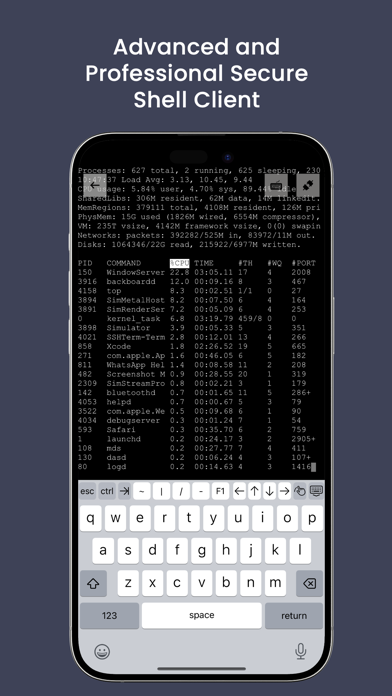
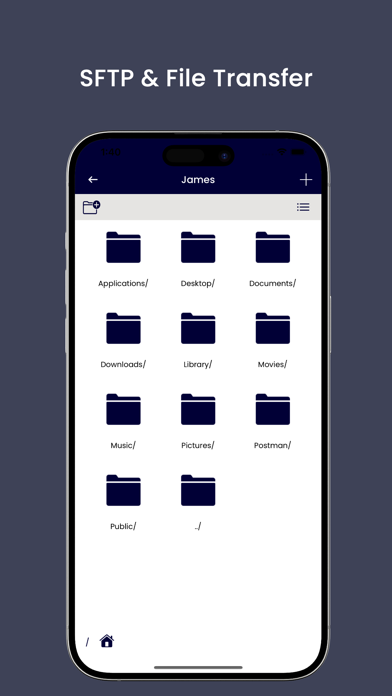
iTerminus: SSH Client Terminal Fast, Secure, & Powerful SSH Client iTerminus is a lightning-fast, secure, and feature-rich SSH terminal app designed for developers, system admins, and IT professionals. Effortlessly connect to and manage your servers, cloud infrastructure, and remote devices from anywhere in the world. Secure & Reliable SSH Terminal - Encrypted connections to keep your data and credentials safe - Multiple authentication methods: Password-based login - Supports Xterm/VT100 for a smooth terminal experience - Customizable terminal screen: Personalize colors, fonts & layout SFTP File Transfer - Upload & download files between your device and remote servers - Manage files effortlessly within the app Customization & Settings - Set custom fonts & adjust font size for better readability - Import & export data with ease - Customize background & foreground colors to match your preference Snippets - Save frequently used commands as Snippets - Insert Snippets instantly while working in the terminal - Organize your commands for faster workflows Key Features - Beautiful, minimal interface designed for efficiency - Works seamlessly across various server environments - Quick server switching and session management - Lightweight and battery-efficient for long sessions - Need help? Contact us at vrishantakinfotech@gmail.com - Privacy Policy: https://www.freeprivacypolicy.com/live/6833862b-4498-4afc-90e7-1ea3b680fe0d - Terms of Use: https://www.freeprivacypolicy.com/live/1355f2d2-90b1-462f-a327-e1bb021f9e98
Screenshots