Mosaic: Blur Photo & Face
Viacheslav Khakhulin

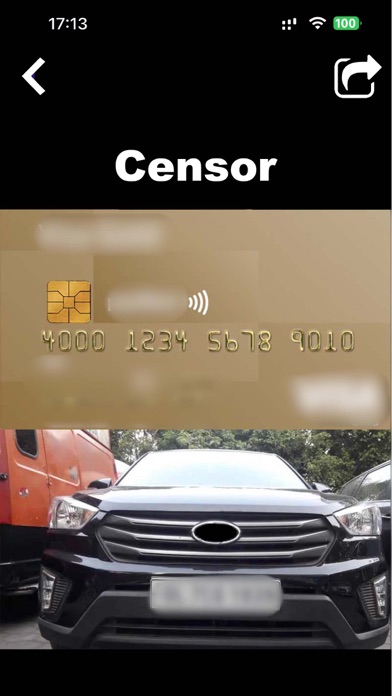
Blur backgrounds, hide faces, and make every photo pop — in one tap. Blurr uses AI to find the person in your photo, so you can blur the background for a pro portrait look or hide faces, text and private details before you share. SEE IT ON YOUR PHOTO FIRST Pick a photo and every style is instantly previewed on your own picture. Tap the one you like and fine-tune it. BLUR BACKGROUNDS LIKE A PRO • AI subject detection — no manual masking • Portrait bokeh, soft focus, motion, and zoom blur • Cinematic, Dreamy, Noir, Tilt-Shift, Spotlight and more looks • Adjust strength and style with simple sliders HIDE WHAT SHOULDN'T BE SEEN • Blur or pixelate faces automatically • Blur or pixelate text: license plates, addresses, names, screens • Brush to blur exactly the areas you choose, with undo REMOVE BACKGROUNDS Cut out the subject and save a transparent PNG, ready for stickers, product shots, and designs. Or swap the background for a clean studio white or a bold gradient. CREATIVE EFFECTS Neon Glow, Duotone, Halftone, Pixelate, Crystallize, Twirl, Vortex, Glass, Water, Hologram and dozens more. MADE FOR SHARING • Crop to Instagram, Stories, TikTok and other popular sizes • Save to Photos or share anywhere • Import from your library or Files Perfect for portraits, selfies, product photos, travel shots, and privacy-safe sharing. PREMIUM Go Premium to unlock all Pro templates, full-resolution exports, and an ad-free experience. Free users can save in standard quality. • Payment is charged to your Apple ID account at confirmation of purchase. • Subscriptions renew automatically unless auto-renew is turned off at least 24 hours before the end of the current period. • Your account is charged for renewal within 24 hours before the end of the current period. • If you start a free trial, any unused portion is forfeited when you purchase a subscription. • Manage subscriptions and turn off auto-renewal anytime in your Account Settings. Privacy Policy: https://mobile-apps.dev/blur-photo-privacy-policy/ Terms of Use: https://mobile-apps.dev/blur-photo-terms-of-use/
Screenshots