AI Cleaner・Swipe Delete Photos
Apptico

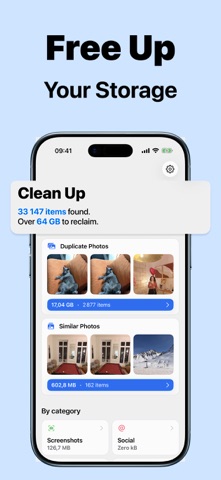
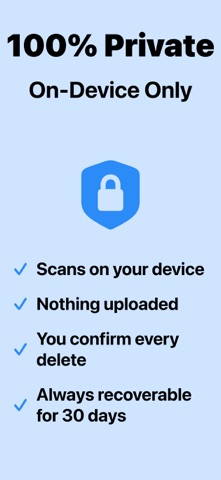
Storage almost full again? We find the photos and videos you no longer need, show how much space they take, and let you delete them in a few taps. - Find duplicate photos - Review similar shots taken in a row - Clear screenshots and photos saved from social apps - Find your largest videos - Sort your photos and videos month by month - 100% private: the scan runs on your device - Deleted items stay in Recently Deleted for 30 days FIND DUPLICATES Copies of the same photo take space for nothing. We group them together, and one tap selects every copy except the best one, so you always keep one photo of each group. REVIEW SIMILAR SHOTS You often take several photos of the same moment. Photos taken in quick succession are grouped together. One tap selects every photo except the one marked "Best": a favorite or an edited photo comes first, then the highest resolution. You can always choose another one. Open a photo in full screen to zoom in, and swipe to compare it with the others in its group. Select the ones to delete there: nothing is deleted until you confirm. CLEAR SCREENSHOTS Screenshots pile up fast, and you rarely look at them again. Show only the last 7, 30, or 90 days, select many at once, and delete them together. FIND YOUR LARGEST VIDEOS Videos often take the most space. Sort them from largest to smallest to see which ones free up the most space. SORT MONTH BY MONTH Prefer to go through everything? The "Month by Month" tab shows your photos and videos one at a time, month after month. Swipe or tap to keep or delete, and undo if you change your mind. Each month shows its size and your progress. The items you chose to delete are gathered in one list, "To Delete", so you can check them before you delete them. The ones you kept have their own list too, "Kept Items", and they are never selected for you. CLEAR PHOTOS FROM SOCIAL APPS Photos saved from WhatsApp, Instagram, Snapchat, and other apps are kept apart from your own photos, so you can review them in one place. BROWSE EVERY CATEGORY Bursts, panoramas, selfies, Live Photos, all photos, and all videos each have their own list. See how much space each category takes, and sort by date or by size. CLEAN AT YOUR OWN PACE Your selection and your month by month sorting are saved when you close the app, so you can continue later. The home screen shows how much space you can still reclaim, and how much you have already freed. PRIVATE BY DESIGN Your photos are scanned on your device. They are never uploaded or shared. YOU STAY IN CONTROL Nothing is deleted until you confirm. Deleted items stay in Recently Deleted for 30 days, so you can recover them. The space is freed once that album is emptied, which you can do in the Photos app at any time. FREE TO SCAN, PREMIUM TO DELETE Scanning, browsing, and sorting month by month are free. Deleting photos and videos requires Premium, which also removes ads. Some plans start with a free trial. SUBSCRIPTION Premium is an auto-renewing subscription. Payment is charged to your Apple Account when you confirm the purchase. The subscription renews automatically unless you cancel it at least 24 hours before the end of the current period. You can manage or cancel it in your Apple Account settings. Privacy Policy: https://www.apptico.fr/cleaner/privacy-policy Terms and Conditions: https://www.apptico.fr/cleaner/terms-and-conditions EULA: https://www.apptico.fr/cleaner/eula
Screenshots