coolAltitude: Pilot Tools
SilkIdea s.r.o.

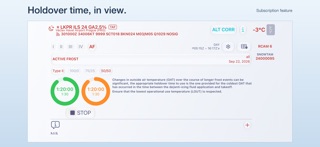
coolAltitude brings cold-temperature altitude corrections, approach profiles and de-icing tools into one focused workspace for pilots. ALTITUDE CORRECTIONS Enter the temperature and approach data, compare entered and corrected altitudes, and see the result in a clear approach profile. Select the correction method and rounding option for your workflow. DME shift helps put distance references in context. APPROACH SETUP Use the FMS-style interface to work with airport, runway and approach data. A structured display and dedicated keys keep the setup readable alongside the profile. DE-ICING AND HOLDOVER TIME Select the applicable conditions, fluid type and concentration. Review the available holdover guidance and keep the countdown visible during your workflow. WEATHER AND RUNWAY CONTEXT Consult METAR, TAF and runway-condition information alongside your calculations. Online information depends on the availability of the connected services. READABLE IN LIGHT AND DARK Clear colour roles distinguish inputs, corrected values and shifted values. Light and Dark appearances support different lighting conditions, with restrained surfaces and readable controls. Some features require an in-app subscription. Check the in-app purchase screen for the features included, subscription terms and current pricing. Use current operational information and the procedures applicable to your aircraft and operation when assessing results. Terms of Use: https://www.apple.com/legal/internet-services/itunes/dev/stdeula/
Screenshots