Remote Shutter: camera connect
Security Union LLC

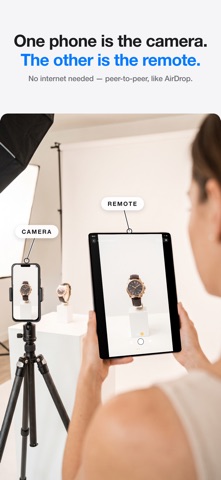
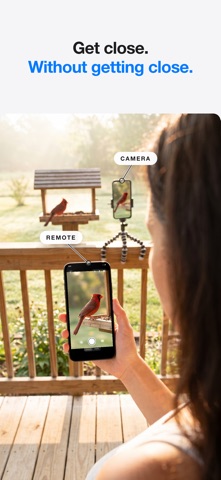
Turn any two devices into a wireless remote camera system — no internet, no router, no account needed. Just connect and shoot. Remote Shutter uses peer-to-peer technology to link two devices directly. One becomes the camera, the other becomes your remote control with a live monitor. Perfect for group photos, selfies, tripod shots, creative angles, and hands-free photography. NEW — MULTICAM: UP TO FOUR CAMERAS, ONE DIRECTOR - Connect up to four iPhones as cameras and see every angle live in a grid - One synced shutter fires photos or video on every camera at the same instant - Footage collects automatically to the director, time-aligned for editing - Set frame rate, resolution, aspect ratio, HDR and focus for every camera from the director - Interviews, music, sports, dance, unboxings — shoot every angle at once FULL MAC SUPPORT - Use your Mac as the camera: built-in, USB and pro webcams, even your iPhone via Continuity Camera - Switch between every camera connected to your Mac, live from your iPhone - Or flip it: use your Mac's big screen as a director's monitor for your iPhone camera FEATURES - Control your camera from your Apple Watch — trigger the shutter from your wrist - Selfies and group shots on the sharp rear camera — frame yourself from the remote's live preview - Wireless remote shutter from up to 50 feet away - Live camera preview on your remote device - Switch cameras remotely — front/back on iPhone, any connected camera on Mac - Camera flash control - Adjustable photo timer - Record video remotely — choose 24/30/60 fps, 1080p or 4K, aspect ratio and HDR from the remote - Tap to focus on the remote's live preview (Pro) - Works with iPhone, iPad, and Mac - No internet or Wi-Fi network required — direct device-to-device connection (just keep Wi-Fi and Bluetooth turned on) HOW TO USE 1. Open Remote Shutter on two devices 2. Devices connect automatically via peer-to-peer 3. Choose which device is the camera and which is the remote 4. Start shooting from anywhere in the room! Whether you're directing four iPhones on a music video, shooting products with a pro camera on your Mac, directing from the big screen, or setting up a family photo, Remote Shutter gives you full wireless control of your camera from another device.
Screenshots