DWG FastView Pro-CAD viewer
Gstarsoft Co., Ltd

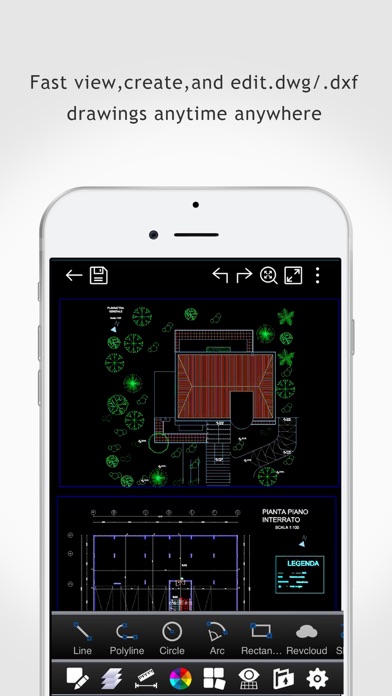
DWG FastView Pro is fully compatible with 2D/3D DWG drawings, which can smoothly open DWG drawings from GstarCAD, AutoCAD and other CAD platforms, also can view CAD design in .dxf format etc. Let’s see its 5 highlights: (1) Creating, browsing and editing are totally free; There is no limit to how large the file is. Directly browse documents of local storage from DWG FastView. Also, it’s free to create new drawings. (2) No registration & Offline drawings Do you find it boring and time-wasting that some other CAD APPs ask you to register and log in? Now, simply download DWG FastView and use it immediately with no NO REGISTRATION needed. Besides, without internet, you are able to save your masterpieces in the local workspace. At the same time, drawings from E-mail or Network Disk like Dropbox or WebDAV can be opened, viewed, edited, shared as well with Internet. (3) Support export to PDF, BMP, JPG and PNG, and share it to anyone freely. Transfer CAD drawings into PDF format and customize its paper size, orientation, color and so on. You can also convert CAD drawings to image format-BMP, JPG, PNG. And all of them can be viewed and shared by DWG FastView. (4)View Mode and Edit Mode satisfy diverse needs; To satisfy your SIMPLY NEED to OPEN and VIEW .dwg, we create View Mode, providing simple tools for FASTER VIEW .dwg. Besides, Edit Mode is better at professional and practical drawing. (5)Helpful and responsive technical support. There are four ways to get technical support 1. Click the “Rate” button to share your valuable comments and suggestions with us 2. Click the “Feedback” button to send your tech problem to us via email 3. Directly send email to support.mc@gstarcad.net to let us know your technical question 4. Follow the latest news or contact us through Facebook, Twitter and Linkedin Facebook: https://www.facebook.com/DWGFastView Twitter: https://twitter.com/DWGFastView Linkedin: https://www.linkedin.com/company/suzhou-gstarsoft-co-ltd
Screenshots