OCBC Hong Kong
OCBC Bank (Hong Kong) Limited

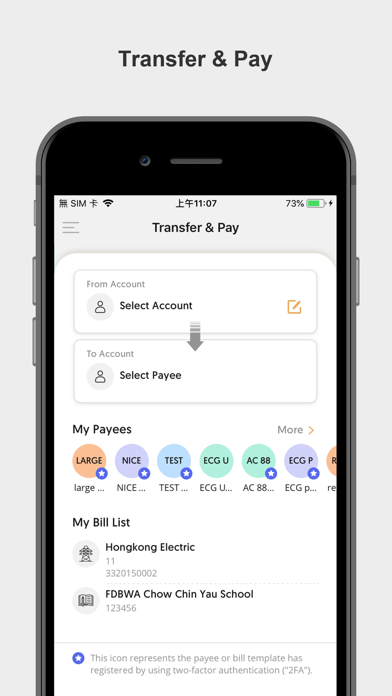
OCBC Bank proudly announces the launch of the enhanced Mobile App. This upgrade features new interface and functions that bring you an enhanced Mobile Banking experience. - *Optimized Features* More services: - Customer Suitability Assessment - Remote Account Opening - Biometric Logon - All-in-one Investment Account Opening - “My Portfolio”: Lists all account balances and provides transaction history enquiry function - Securities: Buy/Sell order, order status enquiry, cancel order, stock balance, real time stock quote, and market information enquiry - eIPO and Financing - Account Services: Transfer & Pay, account balance enquiry, remittance enquiry - Faster Payment System (FPS) - Small-value Transfer: Instant cross bank transfer - Faster Payment System (FPS) - Account Binding: Set your OCBC Bank account as FPS default account - Foreign Currencies & Gold: Currencies exchange, gold trading, pre-set buy/sell order - Buy / sell / switching of unit trust and Risk Profiling Questionnaire - eBanking Registration Service - eStatement Service - Remittance Service - Latest product info and promotion offer - Instant foreign currency exchange rates, gold price, and deposit interest rate enquiries - Branch & ATM locator - Transfer & Pay service - Wealth Management Connect (WMC) e-Banking PIN activation - Reset User ID and/or PIN Service - ATM Card Activation - Push Notification - Dormant Account Activation - Discontinue Paper Statement & Advice - A brand new prelogin page design to enhanced Mobile Banking experience - New features of Curreny-linked Deposit - Enhanced “Card Services” function - Enhanced "All-in-one Investment Account Opening" function - In-app keyboard - Digital Account Opening (Applicable to Branch Visit Verification Journey) - Soft token - Scan to Pay - Small Value Transfer - QR Code Collect - "Transfer & Pay" function - Full implementation on. secure keyboard - Disable screen recording feature - Daily Limit Maintenance - Security Incident Report - Update Contact Number, Email Address, Addresses and Employment Information - Unveiling our newly designed "More" function menu to provide you with a more convenient user experience - Introducing “View e-Advice” service to enable customers to view all recent e-Advice The above products and services are subject to the relevant terms and conditions. For details, please visit any of our branches.
Screenshots