PortKnock
Danny Sung

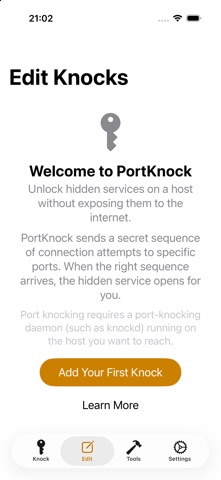
-- Overview -- PortKnock is a port knocker for iPhone and iPad, built for network administrators, homelabbers, and anyone who keeps services hidden behind a firewall. Save your knock sequences once, then send them with a tap, a Siri request, or a Shortcut. It also runs on Apple silicon Macs. PortKnock is NOT a hacking tool, a port scanner, or a general network scanner. It only sends knocks to servers that you own or administer. You *must* have a port knock daemon (such as knockd) or a compatible router running on your server for this app to be useful. -- Features -- - Siri and Shortcuts: "PortKnock _name_" or "Knock _name_ with PortKnock" - Unlimited Knocks, each with any number of ports - TCP or UDP per port, with optional UDP payloads - Post-knock actions: launch an app or URL, send a webhook, or check that a TCP port opened - IPv4 and IPv6, including hosts with multiple addresses and per-address status - Shows your external IP address - Configurable interpacket delay - Backup, restore, and move devices with import preview and conflict resolution - Migrates Knocks from PortKnock 4 - Custom symbols and colors, search, and reorder - Dark mode - DrayTek TOTP knocks (scan a QR code or enter your secret) - Has no advertising -- Use Cases -- Secure remote access: open a firewall port for SSH, VPN, or remote desktop only when you need it. Automation: knock, confirm the port opened, then launch your SSH client or call a webhook, all from one tap or one Siri request. This app is ideal if you're on a WiFi network but don't have a port knocker on the available computers. If you're sitting behind a NAT, your iPhone will have the same IP as any of the other computers on your network. -- Brief Description of Port Knocking for the Layman -- Port Knocking is a technique to secure services behind a firewall until a specific knock sequence is given. This is not to be confused with port scanning (a network management tool for discovering open services on a system). Imagine you left your kids at home alone. You don't want them to open the door for strangers. And when a stranger comes knocking, you don't even want them to come to the door, because you don't want them to know your kids are there. But, when you or other family members come, you might want them to open the door for you. So you teach them to listen for a certain rat-a-tat-tat or special knock that only you and your family know. This is the same concept you can apply to your servers. If you run a knock daemon on your server, this app then lets you send the special knock to it. Port knocking adds a layer of obscurity but does not replace strong authentication, so use it alongside SSH keys, strong passwords, and your firewall. More on Wikipedia: http://en.wikipedia.org/wiki/Port_knocking -- Additional Info -- If you're in need of a knock server, I personally use Judd Vinet's knock daemon for linux. It's quite easy to use: http://www.zeroflux.org/projects/knock -- Notes -- - Requires iOS 26 or later. - Launch actions are limited by what the target app supports through URLs. - PortKnock no longer records network history. The in-app Password Lock was removed; use iOS app locking instead. - TOTP secret keys are kept in the Keychain and are not included in backups. -- Support -- For better support, please send bug reports and feature requests to support@sungheroes.com, rather than simply posting it in a review. You can find more info on using PortKnock at the main website: http://www.sungheroes.com/products/portknock-iphone/ -- History -- 2026-10-19 5.0.0: Rebuilt for modern iOS. Siri/Shortcuts, post-knock actions, backup/restore, TOTP 2022-02-28 4.18: Launch App works again; import fixes 2018-01-xx 4.12: IPv6 support 2017-09-xx 4.0: Updated for iOS 10.3 2011-07-10 3.0: Password lock, knock validation, import/export, app launcher, progress screen 2010-12-14 2.02: Copy hosts, host/port reordering
Screenshots