Digital Cashbook: Manage Money
Monali Paghadal

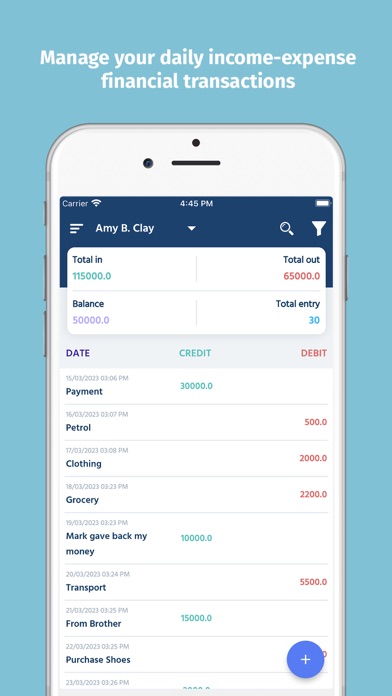
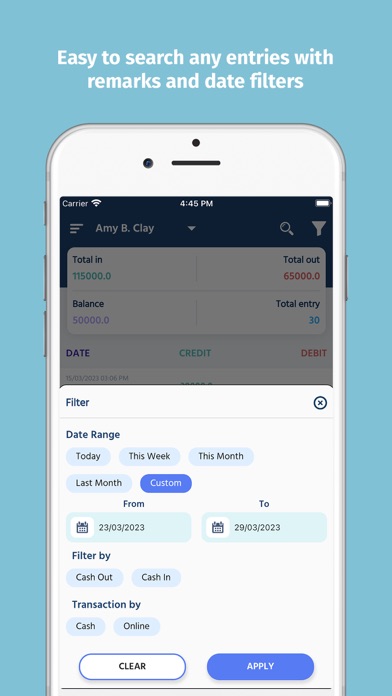
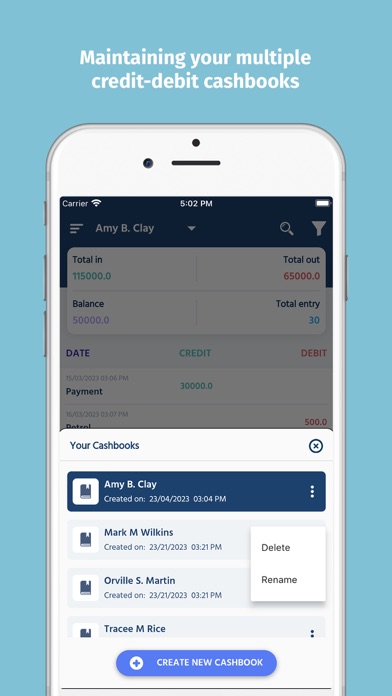
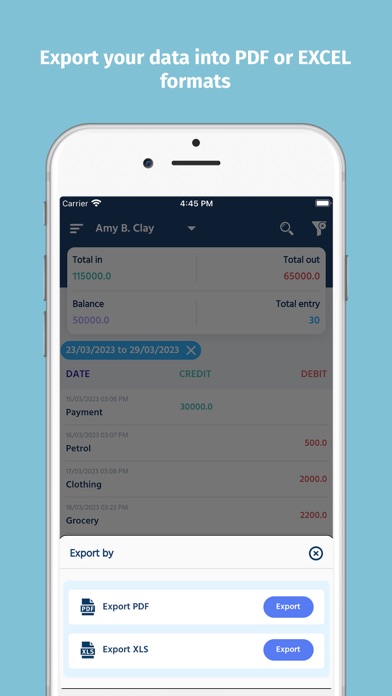
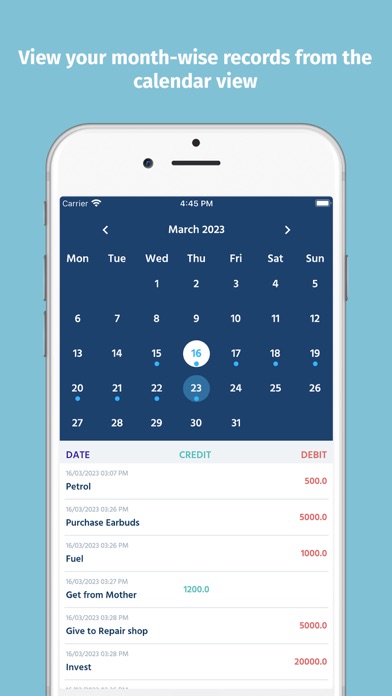
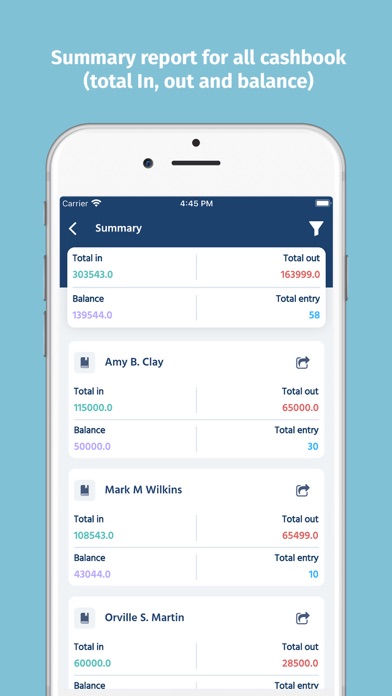
Accounting made easy, know your cash flow & work book balance. You don’t have to worry about calculations anymore because cashbook automatically calculates and shows your daily balance and cash in hand. Gives you a complete summary of the total in, out, and balance in one screen. * Manage multiple cash books - Create as many cashbooks as you like and maintain separate records for each of your requirements. - Summary report for all cashbook (total In, out and balance) - Share cashbook report with anyone. * Cashbook Reports - Easily generate a report and take it out in the form of Excel PDF or excel. - Set the filter and generate a report, you can view all reports under “Exports” and easy to share the report with anyone - Summary report for all cashbook and filter your data according to your criteria * Safe and Secure with Password We understand your Data is very important. Protect your entries using PIN / PATTERN lock so that, apart from you no other can access your customers and their entries. * Features: - Maintaining your credit-debit accounts - View your month-wise records from the calendar view - Search any entry with remarks - Choose a filter of date range or credit debit type. - Daily notification keeps you reminded to enter daily income, expense transactions - Backup and restore your all transaction with Google drive on the cloud # Subscription Details # • Free version of app limits cashbook entries, excel/pdf reports, backup restore and advertisements limits. For increase limit you have to buy subscriptions details are mentions below. • Monthly, six monthly and Annual subscriptions are available. • Payment will be charged to your iTunes account at confirmation of purchase. • Your subscription will automatically renew unless auto-renew is disabled at least 24 hours before the end of the current subscription period. • Automatic renewals will be charged at the same price you were originally charged for the subscription. • Subscriptions can be managed by going to Account Settings on the App Store after purchase. Terms of Service: https://sites.google.com/view/fittech-privacypolicy Privacy Policy: https://sites.google.com/view/fittech-termsofservice
Screenshots