MyNetstar
NETSTAR (PTY) LTD

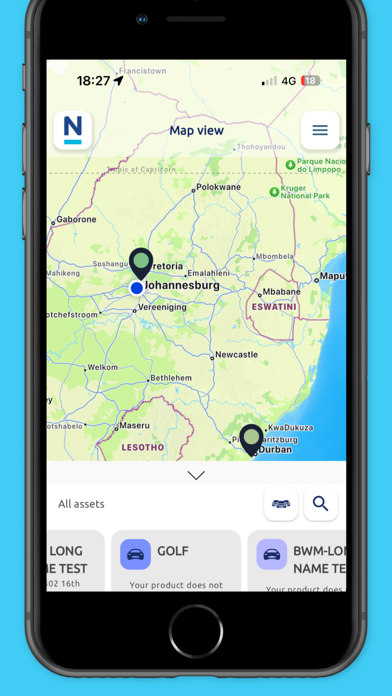
Netstar provides industry-leading telematics and Stolen Vehicle Recovery (SVR) solutions, which come in various price points. MyNetstar is the digital engagement platform that connects you to those solutions in real-time and empowers you to manage your accounts and your fleet, and access important documents on demand. And provides a mechanism to contact Netstar should you require assistance. Features: 1) Vehicle Tracking - Easily track your vehicles on an interactive map. - See vehicle status information such as location, battery voltage, dynamic events, and so much more. 2) Trip Replay - Categorize your trips as Business or Personal. - Powerful trip filters to quickly find the trips you are looking for. - Generate trip replays on an interactive where you can see events and alerts. - Export trip reports. 3) SARS Logbook - Generate a SARS-compliant logbook. 4) Alerts - Set up a variety of alerts which include Safety (impacts and ignition on) and Driver Behavior (speeding, harsh braking, acceleration, cornering, and rapid lane change). - Get real-time push notifications that detail date and time, alert type, location, and vehicle. - Set up geo-zones around areas of interest and get alerts when entering or exiting those areas. 5) Share Vehicle - Securely and easily share access to selected vehicles without needing to share your login credentials. - If you are a Consumer, you can share vehicles with loved ones. - If you are a Business Owner, you can share access with drivers. 6) Manage account - Ability to manage and update personal and financial details. - Able to download your latest statement and invoice. 7) Manage Vehicle - Update odometer. - Update vehicle and driver details. - Download your fitment certificate and latest test certificate.
Screenshots