Live Captions: Transcribe
Alexey Beschetnikov

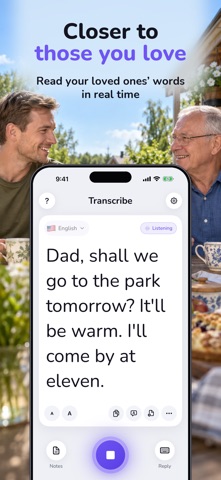
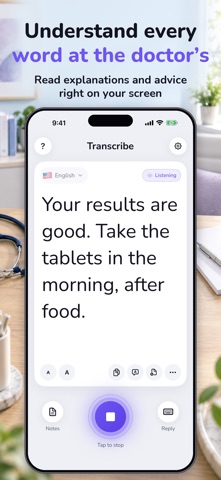
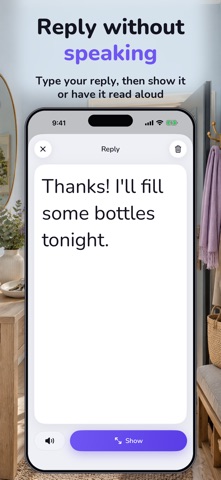
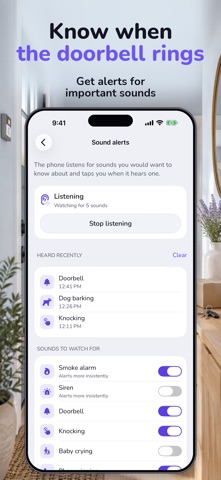
Transcribe converts voice to text and shows live captions for face-to-face conversations. Read what someone says in large text on your iPhone. Built for people who are deaf or hard of hearing, and for families looking for a way to communicate with a parent who has hearing loss. LIVE TRANSCRIPTION AND DICTATION Follow conversations at home, at a doctor's appointment or at a service desk. Use voice dictation to turn spoken words into text, and save a conversation transcript as a note to read later. Adjust the font size to make reading easier. TYPE A REPLY OR HAVE IT SPOKEN Write your response on the keyboard and show it to the other person, or have the app read your message aloud. Keep a conversation going when listening is difficult. SOUND ALERTS AND APPLE WATCH Receive vibration alerts for selected sounds, including a doorbell, knocking, a baby crying or a dog barking. Read captions and receive alerts on an Apple Watch paired with your iPhone. DOES SPEECH TO TEXT WORK OFFLINE? Transcribe supports speech recognition in more than 60 languages. Offline recognition is available for selected languages and compatible devices; it is not available for every language. Choose the speaker's language and start recognition. A subscription is required. A free trial is available under the offer's eligibility conditions. See the app for pricing and renewal terms. Subscription: $3.99 per month or $39.99 per year in the United States. The price where you are is shown in the app before you subscribe. Terms of Use: https://sites.google.com/view/livetranscribe/terms-of-use Privacy Policy: https://sites.google.com/view/livetranscribe/privacy-policy Support: developer.support.team@gmail.com
Screenshots