My Calendar - Shift schedule
Mikhail Eremkin

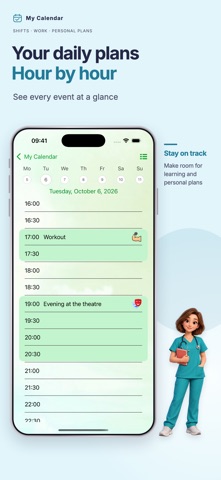
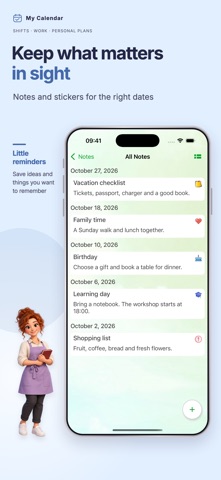
Shift schedule, work calendar, and rotating shift planner in one app. My Calendar - Shift schedule helps you build a work schedule, track days on and days off, and see when your next shift starts. Use the paid hours and earnings tracking feature to record earnings by shift and review your monthly financial report. Create a shift calendar for 2-on 2-off, 3-on 3-off, 24-hour shifts, day/night rotations, and rotating shifts. If you work nights, weekends, long shifts, or an irregular schedule, this app gives you a clear work calendar you can rely on every day. Set your repeating cycle and build your schedule automatically. Why users choose My Calendar: - Shift schedule planner: build any shift pattern that fits your job. - Work calendar: view work days, off days, night shifts, and rotation patterns at a glance. - Rotating shift calendar: manage changing day, night, and weekend rotations. - PTO, vacation, sick days, and time off: keep important dates in your schedule. - Overtime, side jobs, and work from home: add extra work events when needed. - Simple schedule tracker: start using the app right away without a complicated setup. Time and earnings tracking — paid feature Record your hours and earnings for each shift. Review your monthly financial report to see your income alongside your work schedule. Share your schedule Share your schedule with family or friends so you can plan time together. iCloud backup Create an iCloud backup of your app data. Great for shift workers: - nurses and healthcare workers; - EMTs, paramedics, and first responders; - police, firefighters, and security staff; - retail and hospitality employees; - warehouse and manufacturing teams; - drivers, delivery workers, and transportation staff; - anyone with a rotating shift schedule or nontraditional work hours. With My Calendar you can: - keep track of upcoming shifts and changes to your work schedule; - see upcoming shifts, off days, weekends, and holidays; - plan vacation, PTO, and personal time in advance; - manage your work schedule for weeks and months ahead; - keep one calendar for work shifts, days off, and life outside work. Download My Calendar to manage your shift work schedule, work calendar, and days off in one place. License agreement: https://www.apple.com/legal/internet-services/itunes/dev/stdeula/ Website: https://calendar.mobicode.pro We welcome your feedback and suggestions for improving the app. Email: developer@mobicode.pro
Screenshots