E-Drive.
Everysight

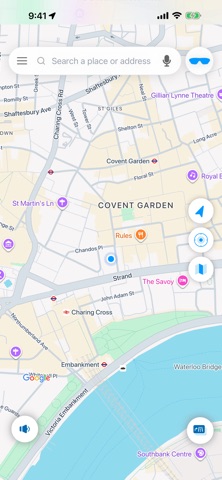
E-Drive puts your navigation where you are already looking. Paired with Everysight Maverick Sport smart glasses, it shows the next turn, the distance to it, your speed and the speed limit right in your line of sight, so your eyes stay on the road. NAVIGATION IN YOUR LINE OF SIGHT • Turn-by-turn directions on the glasses, with the distance to the next turn and the arrival time • Your speed and the road's speed limit, with a warning when you go over it • Road hazards ahead on your route, shown before you reach them • Driving or cycling routes • Follow your trip on the Lock Screen and in the Dynamic Island with a Live Activity CHOOSE HOW IT LOOKS • Six glasses display styles, from a simple arrow to a full map view • Map on or off with one tap on the glasses • Always on, or Auto: the display wakes up only when it matters - before a turn, before a hazard, when you go over the speed limit, when you leave the route or lose GPS - and switches off again • Adjust the glasses brightness from the glasses themselves PLAN ON THE PHONE • Search places and addresses, with suggestions as you type, or search by voice • Save Home and Work for one-tap directions • Share a place to E-Drive from other apps to start directions • Avoid toll roads, motorways or ferries • Live traffic on the map • Spoken guidance: every instruction, alerts only, or silent WORKS WITHOUT A SIGNAL • Download maps for the regions you drive in and navigate offline EASY TO START • A short setup guide connects your glasses, fits the display to your eye and shows the glasses touch controls REQUIREMENTS E-Drive needs Everysight Maverick Sport smart glasses. Bluetooth and location access are required to connect the glasses and to navigate. Always follow traffic laws and keep your attention on the road.
Screenshots