Bookvo: English Books
Bohdan Synytsia

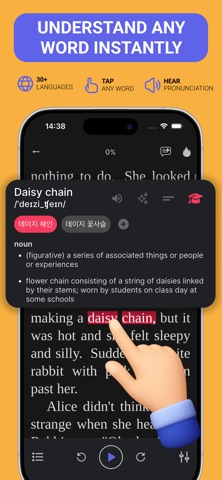
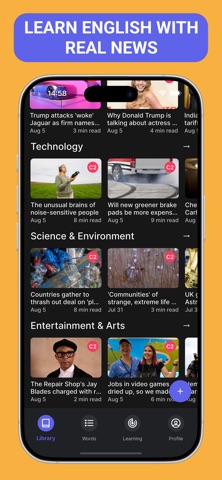
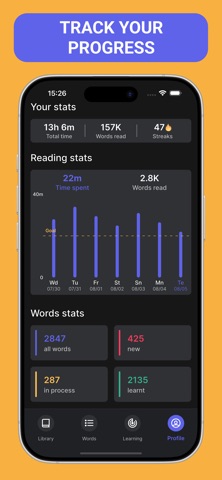
Learn English with what you actually enjoy reading and watching: books, stories, news and real videos. Bookvo turns every text into a lesson — tap any word, understand it instantly and save it to practice later. READ ENGLISH AT YOUR LEVEL - Books, short stories and classic novels sorted by level, from A1 to C2 - Fresh news and articles to practice everyday English - Personalized recommendations based on your level and interests - Import your own books and read them with every Bookvo tool TRANSLATE WITH ONE TAP - Tap a word or phrase to see its translation, meaning and pronunciation - Ask AI to explain sentences, idioms and grammar with examples LISTEN AND READ AT THE SAME TIME - Audio synced with the text to improve your listening and pronunciation - Listen to full books as audiobooks while you follow along LEARN FROM VIDEOS - Interactive subtitles: tap words, replay lines, translate or simplify them - Minimize the video and keep studying with the transcript SAVE AND REVIEW YOUR VOCABULARY - All your saved words in one place, from books and videos - Games to lock them in: flashcards, fill the gap, word builder, listening and translation drills TRACK YOUR PROGRESS - Daily goal, streaks and stats for reading, study time and words learned - Build a daily English reading habit BOOKVO PREMIUM Premium unlocks the full library, unlimited learning time and all AI features. Payment is charged to your Apple Account at confirmation of purchase. The subscription renews automatically unless canceled at least 24 hours before the end of the current period. You can manage or cancel it in your App Store account settings. Privacy Policy: https://bookvo.app/privacy-policy.html Terms of Use: https://bookvo.app/terms-of-use.html
Screenshots