Cryptomator: Protect Privacy
Skymatic GmbH

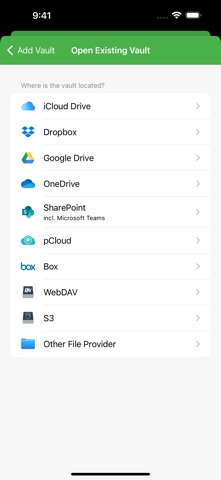
Take the security of your data into your own hands. Cryptomator encrypts your files before they reach the cloud — so only you hold the key. Not your cloud provider, not us, no one. Most cloud providers encrypt your data only during transmission, or they keep the decryption keys themselves — keys that can be stolen, copied, or misused. With Cryptomator, the key to your data stays in your hands. EASY TO USE Cryptomator is a simple tool for digital self-defense. Protect your cloud data yourself, independently. • Assign a password to a folder — we call it a vault. That's all: no key creation, no registration, no configuration • Unlock vaults with Face ID / Touch ID • Fully integrated into the Files app — browse and open your encrypted files right where you already manage them • Everything you save into a vault is encrypted automatically COMPATIBLE Cryptomator works with the most commonly used cloud storages and is available for all major operating systems. • Compatible with iCloud Drive, Dropbox, Google Drive, OneDrive, SharePoint (incl. Microsoft Teams), pCloud, Box, WebDAV- and S3-based cloud storage services • Create vaults in any location via other File Providers (third-party apps must support this) • Access the same vaults across all your mobile devices and computers SECURE & TRUSTWORTHY You don't have to trust Cryptomator blindly, because it is open source software — everyone can see the code: https://github.com/cryptomator/ios • No backdoors and no expiration date, thanks to open source • File content and filename encryption with AES and 256 bit key length • Vault password secured with scrypt for enhanced brute-force resistance • Independently audited by security researchers; crypto implementation publicly documented If someone looks into the folder in your cloud, they cannot draw any conclusions about your data. AWARD-WINNING Cryptomator received the CeBIT Innovation Award 2016 for Usable Security and Privacy. CRYPTOMATOR COMMUNITY Join the Cryptomator Community and participate in the conversations with other Cryptomator users: • Community: https://community.cryptomator.org • Mastodon: @cryptomator@mastodon.online --- Terms of Use: https://www.apple.com/legal/internet-services/itunes/dev/stdeula/
Screenshots