Before/After: Photo Compare
Fancygames, Ltd.

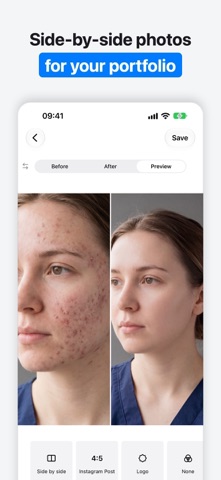
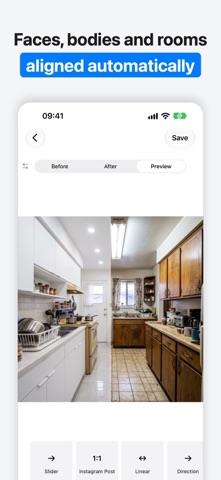
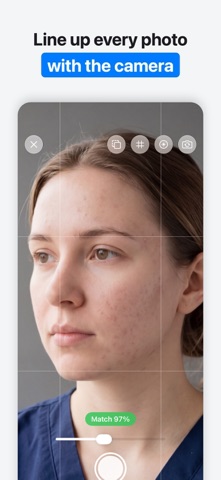
Before/After turns two photos into a before-and-after slider video or a side-by-side collage in every social format, and keeps each client's progress in one place. FOR CLINICS AND SALONS Aesthetic and cosmetology clinics, med spas, dental practices, lash, brow, nail and hair artists: photograph every client with the same framing at each visit, add your logo and post the result the same day. Hide the eyes with one tap when a client prefers privacy. FOR CONTRACTORS AND CLEANERS Renovation, painting, landscaping and cleaning crews: shoot the after photo over a ghost of the before, and Before/After lines up the room, including rotation and perspective. FOR FITNESS AND PERSONAL PROGRESS Coaches and anyone tracking their body: the progress camera and full-body alignment make week 12 match week 1. HOW IT WORKS 1. Choose two photos, or take the next one with the progress camera. 2. Before/After lines them up automatically. 3. Pick a style and a format, and save. FEATURES • Slider and crossfade videos, side-by-side and top-and-bottom collages • Every format: square, 4:5 posts, 9:16 Reels and Stories • Auto-align for faces, full bodies and rooms, with rotation and perspective • Progress camera: before photo as a ghost overlay, match meter, grid, level, exposure lock • Manual framing: two-finger rotate, zoom out, flip, straighten, vertical and horizontal perspective • Clients and visits: take the next photo, reminders, compare any two visits, search • Projects saved automatically • Your logo on every video and collage • Hide or pixelate eyes for privacy • Filters, animation curve and slide direction • "Also save as": the same result in another format in one tap • Siri and Shortcuts: "Take a progress photo" Photos taken with the progress camera stay inside the app and are not added to your Photos library. SUBSCRIPTION Before/After is free to try. Saving videos and collages requires Before/After Premium, an auto-renewing weekly, monthly or annual subscription. Payment is charged to your Apple Account when you confirm the purchase. The subscription renews automatically unless it is cancelled at least 24 hours before the end of the current period. You can manage or cancel it in your Apple Account settings. Terms of Use: https://fancygames.net/beforeafter/terms.html Privacy Policy: https://fancygames.net/beforeafter/privacy.html
Screenshots