MicroREC App
Custom Surgical GmbH

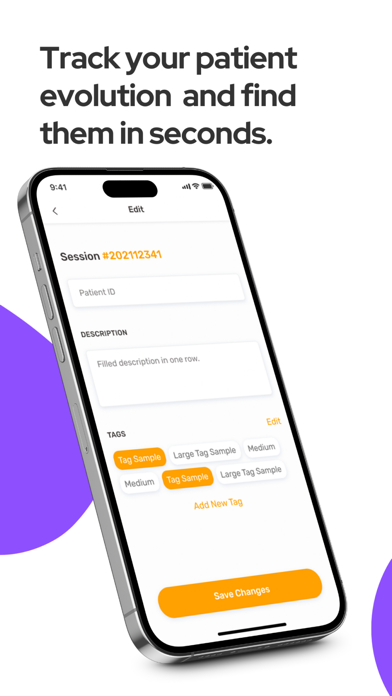
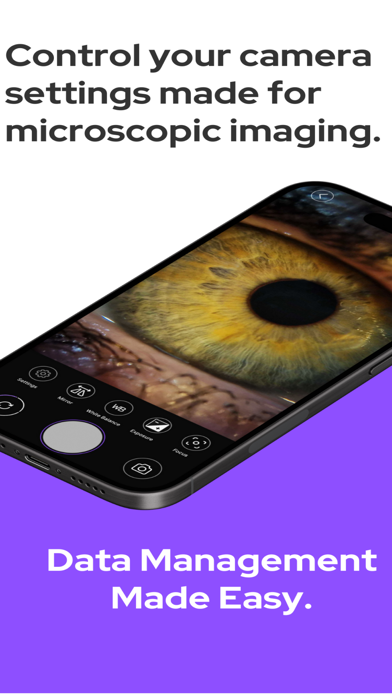
Experience easy-to-use data management for microscopic images and videos with the MicroREC App, exclusively designed for professionals in ophthalmology, endodontics, ENT, neurosurgery, and microscopy-related fields. DATA MANAGEMENT Say goodbye to the hassle of searching for files and organizing them. With MicroREC App, you can effortlessly locate any surgery or slit lamp examination in seconds, thanks to advanced search functionalities. - session organization - patient ID, comments, data, tags SAVE IN THE CLOUD INSTANTLY Running out of storage space on your phone? No worries! Our Custom Surgical cloud service provides a secure and organized platform where all your information and data are stored. Access your files anytime, anywhere, without worrying about device limitations. - multi-device access - secure storage - access instantly VIDEO EDITION Editing your images and videos has never been easier. With MicroREC App, you can conveniently perform edits directly within the application, saving you precious time and effort. - contrast adjustment - brightness control - rotation & flip - trim - crop - brush - text CAMERA FEATURES Capture the perfect shot or recording effortlessly with our specially tailored camera features, perfectly suited for operating rooms and clinics. - exposure control - white balance control - zoom in & focus control - video quality & audio control - watermark personalization - rotation & mirroring https://www.customsurgical.co Follow us on social media: https://www.instagram.com/customsurgical/ https://www.youtube.com/c/CustomSurgical/ https://www.facebook.com/customsurgical1 Terms of use: https://customsurgical.co/app-eula/ Privacy policy: https://customsurgical.co/app-privacy-policy/
Screenshots