Photo to PDF Scanner - ScanSky
Ruvix

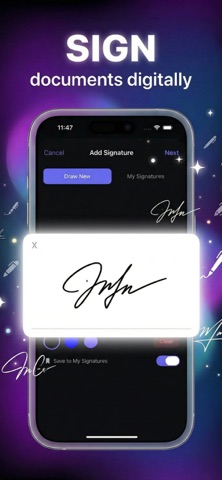
Transform your iPhone and iPad into a powerful document scanner with AI-powered intelligence. Scan documents, IDs, receipts, contracts, and more — then analyze, extract, and sign them all in one app. — INTELLIGENT SCANNING — • Automatic edge detection captures documents instantly • High-resolution scans with crisp, clear quality • Multi-page document support — add pages anytime • Batch scanning for multiple documents — AI-POWERED FEATURES — • AI Insights: Get instant summaries, key points, and analysis of any document • Ask AI: Chat with your documents — ask questions and get intelligent answers • Smart OCR: Extract text automatically with high accuracy — SIGN & SHARE — • Draw or upload your signature • Sign documents directly on your device • Export as PDF, JPEG, or TXT • Share via email, AirDrop, or any app • AirPrint to nearby printers wirelessly — STAY ORGANIZED — • Create folders to organize documents • Search across all your scans • Sort by date, name, or custom order • Quick access to recent documents — PRIVACY FIRST — All document processing happens on your device. Your documents stay private and secure. --- Subscription Information: • Payment is charged to your Apple ID account at purchase confirmation • Subscription automatically renews unless turned off at least 24 hours before the current period ends • Manage subscriptions and turn off auto-renewal in Account Settings • Any unused free trial portion is forfeited upon subscription purchase Terms of Use: https://ruvixlabs.com/scansky/terms-conditions.html Privacy Policy: https://ruvixlabs.com/scansky/privacy.html Subscription Terms: https://ruvixlabs.com/scansky/subscription-terms.html
Screenshots