Motion Log Cam
Heng Jia Liang

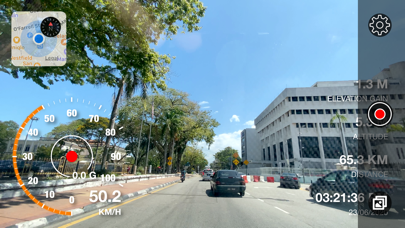
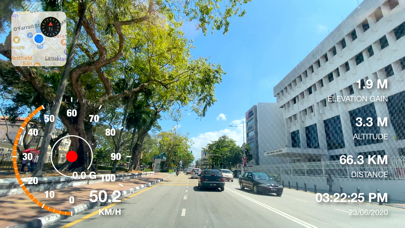
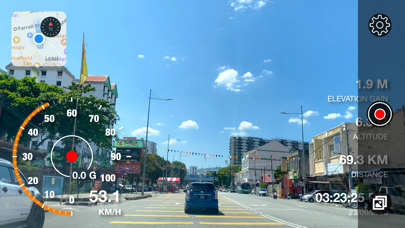
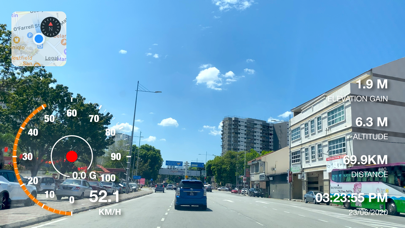
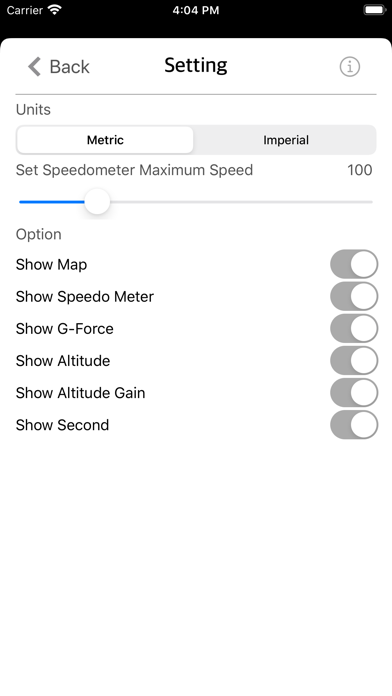
Motion Log Cam enables you to record video with useful info embed into it. The info embeds include Location Map, Speedometer, G-Force indicator, Time, Date, Distance, Altitude and Elevation Gain. Motion Log Cam includes Standard Camera Features: • Pinch to Zoom. • Rear Camera with Auto Exposure/Focus mode. • Support both Landscape or Portrait mode. Motion Log Cam Features: • Able to set Metric or Imperial units. • Adjustable Speedometer maximum value from 10 - 3000. • Show/Hide Time Second unit. • Show/Hide Current Location Map. • Show/Hide Speedometer. • Show/Hide G-Force Indicator. • Show/Hide Device Altitude. • Show/Hide Device Altitude Gain. Usage: • Travel journey logs. Record your journey along the road. • Monitoring vehicle speed [car or bike] and G-Force during cornering. • Record road travelling time and date. • Monitoring walking/running speed and distance. • And many more depend on your imagination. Notes: * This app requires internet connection to retrieve map data. * Video capture are saved in the photo library for fast and easy access. - Works seamlessly on both iPhone and iPad. - Lightweight, compact app optimized for everyday use. - Ad-free and built with privacy in mind. Thanks for your support and do visit nitrio.com for more apps for your iOS devices.
Screenshots