BM Online
Banque Misr S.A.E

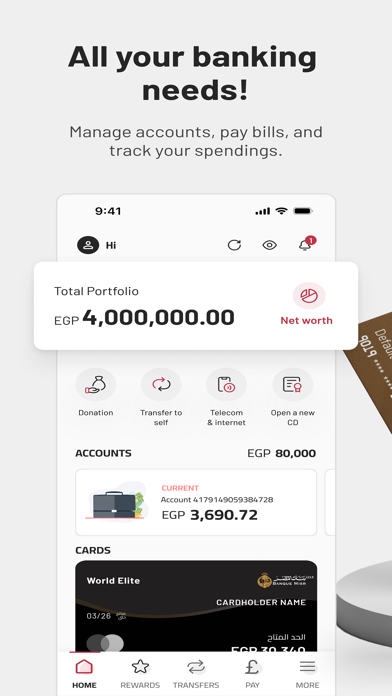
BM Online is a full-fledged Mobile Banking solution, designed to offer you a convenient, friendly and secure access to your BM accounts, anytime, anywhere. Features to stay on top of your finances 1. Accounts • Access your accounts anytime • Inquire on your balance • View your mini-statement and your transaction history 2. Transfer Manage your beneficiaries and perform fund transfers securely: • Between your own accounts • To another BM account • To other local bank accounts in EGP • For scheduled payments (standing orders) 3. Cards Manage your BM cards easily by: • Viewing your card details • Reloading your BM prepaid card • Repaying your BM credit card 5. Service Requests • Request for a cheque book • Perform a Stop Cheque • Report a lost card • Create Term Deposit • Create Certificate of Deposit • Create C.A.S.A. Account • Leave Feedback Security Your BM Online offers you a secure and trusted Mobile Banking experience through: • User ID • WAS authentication • Transaction Password 1. Click on the Register button from the Login page. 2. Insert your BM Internet Banking National ID, select Card Type and the enter your card and accept the terms & conditions. 3. Insert your card details like Pin/Expiry. 4. Insert the OTP (One Time Password) that will be sent to you via SMS on your registered mobile number or email address. 5. Key in a valid user id and password and you are now connected to your Bank. Contact us For more information, visit any of our branches or contact us on: Tel: +2019888 Email: Internetandmobilebanking@banquemisr.com Website: www.banquemisr.com
Screenshots