Expenses for Business
Starkode Limited Company

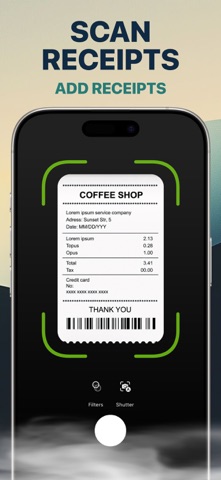
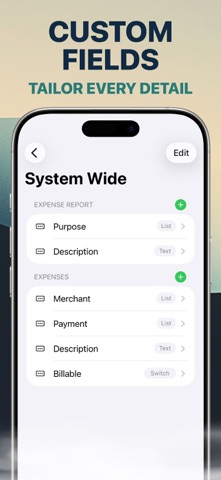
Expenses for Business is an expense management, receipt tracking, mileage, and approval app for teams that need to control business spending and project costs. Let employees record expenses, scan receipts, track mileage, submit expenses for approval, and organize spending by project from iPhone, iPad, and Mac. EXPENSE MANAGEMENT • Record business expenses and mileage. • Capture receipt information and attach receipt photos. • Customize expense types, payment types, merchants, currencies, and locations. • Support multiple currencies and foreign exchange workflows. • Organize expenses by project or customer. APPROVAL WORKFLOW • Submit expenses for review. • Approve or deny team expenses. • Keep employee spending and project costs organized. PROJECTS & REPORTS • Create customer-based or internal projects. • Connect expenses and mileage to project activity. • Create, print, email, and share professional PDF reports. • Import and export CSV files. CUSTOMIZATION & SECURITY • Add custom attributes for your expense workflow. • Personalize reports with fonts, colors, headers, footers, and logos. • Manage users, roles, branches, and access lists. • Authorize individual devices before account access. • Use biometric authentication supported by your device. STARKODE FOR BUSINESS Part of the Starkode business suite for teams working across iPhone, iPad, and Mac. Need help? Contact support@starkode.com. SUBSCRIPTION Starkode membership is month-to-month with no long-term contracts or cancellation fees. Cancel anytime from your device. Privacy Policy: https://starkode.com/privacy/ Terms of Use: https://starkode.com/terms/
Screenshots