Data Usage: Cellular Tracker
HungChun Lai

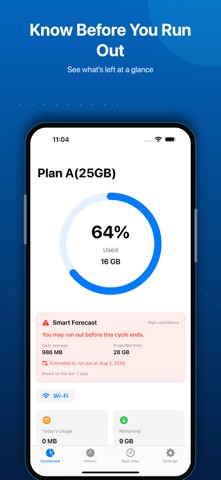
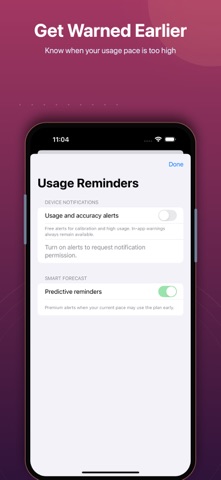
Know before your data runs out. Data Usage turns your cellular counter into a clear plan forecast. See how much remains, whether your current pace is safe, and when you may run out—before the end of the cycle. CORE FEATURES • Track recurring, prepaid, travel, physical SIM, or eSIM plans you create • Switch plans without mixing their individual totals • Review daily trends and network speed • Get accuracy and high-usage alerts • Check remaining data from a Home Screen widget PREMIUM • Smart forecast and estimated run-out date • Predictive alerts when your pace may exhaust the plan early • Full history and custom date ranges • Unlimited plan management • Home Screen widget, dark theme, and no ads Built for privacy: no account and no VPN required. Your plan and usage records stay on your device. Accuracy note: iOS does not report per-app usage or automatically identify which SIM/eSIM plan consumed data. Select the active plan yourself. If iOS cannot recover usage after a restart or long gap, Data Usage will guide you to calibrate instead of showing false precision. Premium renews automatically unless canceled at least 24 hours before the current period ends. Manage or cancel in Settings > Apple Account > Subscriptions. Privacy: https://datausage.app/privacy Terms: https://datausage.app/terms
Screenshots