Thunderstorm Simulator
Scott Dodson

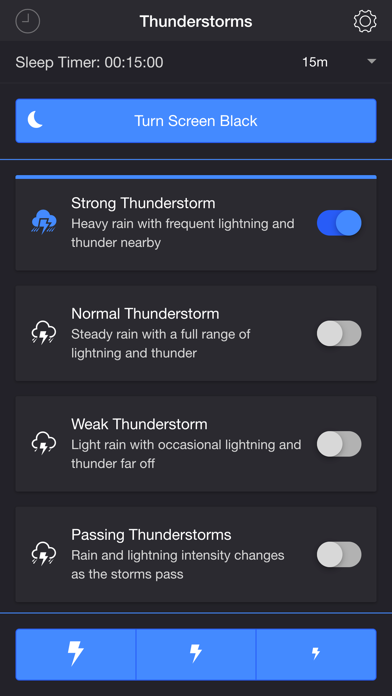
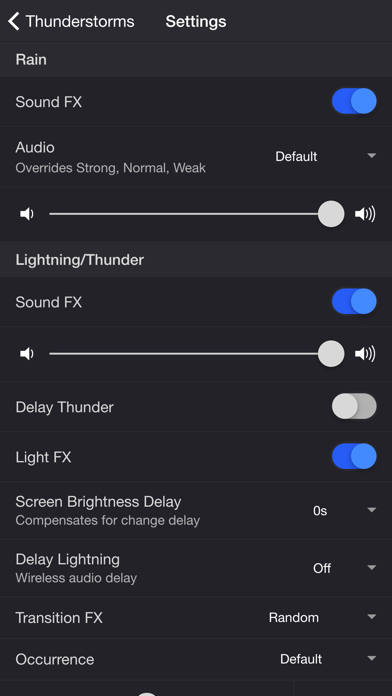
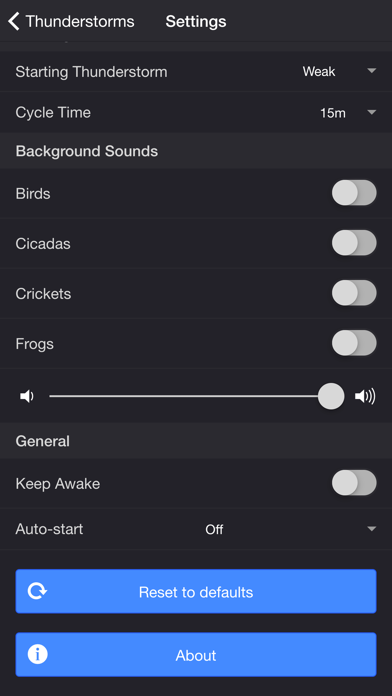
Summon a thunderstorm on your smart device. Relax and fall fast asleep to the sounds of rain and thunder. The screen or camera flashes when lightning strikes.* *Defaults to screen for lightning light effects if camera flash is not available. THUNDERSTORMS • Strong Thunderstorm — Heavy rain with frequent lightning and thunder nearby • Normal Thunderstorm — Steady rain with a full range of lightning and thunder • Weak Thunderstorm — Light rain with occasional lightning and thunder far off • Passing Thunderstorms — Rain and lightning intensity changes as the storms pass SETTINGS Rain • Toggle rain sound effects • Change rain audio: Default, Heavy, Steady, Light, On Tin Roof • Change rain volume Lightning/Thunder • Toggle thunder sound effects • Change thunder volume • Change delay lightning (Wireless audio delay offset) • Toggle delay thunder • Toggle lightning light effects • Change lightning output: Camera Flash, Screen • Change lightning transition effects • Change lightning/thunder occurrence: Default, Occasional, Normal, Frequent • Change color and max brightness of lightning light effects (Screen only) Passing Thunderstorms • Change starting storm for Passing Thunderstorms: Weak, Normal, Strong • Change cycle time for Passing Thunderstorms: 15m, 30m, 60m Background Sounds • Toggle background sounds: Birds, Cicadas, Crickets, Frogs • Change background sounds volume General • Keep Awake to prevent your device from going to sleep so lightning effects remain visible • Hide Status Bar to maximize screen space for lightning effects • Select a mode to automatically start when the app opens • Choose a time to automatically stop the selected mode • Choose a time to automatically restart the selected mode when the sleep timer ends, enabling a recurring cycle ADDITIONAL FEATURES • Sleep Timer — Set a timer with a gradual audio fade-out. • Turn Screen Black — Adds a black overlay and sets the device to minimum brightness. Use the Screen Brightness Delay setting to compensate for brightness ramp-up on some devices. Set to 0.25–1 second if lightning effects do not reach peak brightness when thunder is loudest. • Lightning on Demand — Start a storm and use the lightning buttons at the bottom of the screen for manual control. • Bluetooth Support — Connect to Bluetooth speakers. Adjust the Delay Lightning setting to offset wireless audio delay. Please contact me at support@thunderstorm.scottdodson.dev if you experience any issues. I'd love to hear your thoughts and appreciate you taking the time to rate and review the app. I want to continue to improve Thunderstorm Simulator and create a great experience for you and future users. Thank you! —Scott Ad-supported version: https://apps.apple.com/us/app/thunderstorm-simulator-w-ads/id1482707561
Screenshots