FreeYourMusic: Move Playlists
Hernas OÜ

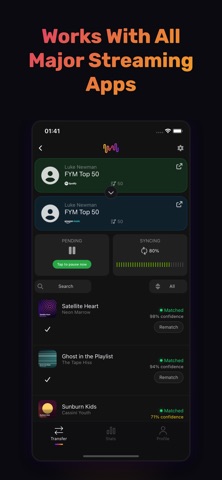
Switching music apps? Don't leave your playlists behind. Free Your Music transfers your playlists, albums, and liked songs between all major streaming services. Move from Spotify to Apple Music, Apple Music to Spotify, YouTube Music to TIDAL — any direction, in minutes. ◉ How it works: 1. Connect your current and new music service 2. Pick the playlists and albums you want to move 3. We match every song and start the transfer 4. Review the results — see exactly what moved and fix anything that didn't Your first 600 songs transfer completely free. ◉ Supported services: Spotify, Apple Music, YouTube Music, Amazon Music, TIDAL, SoundCloud, Deezer, Napster — and more coming. ◉ Key features: • Transfer playlists, albums, and your liked-songs library • Keep playlists in sync — new songs you add are copied automatically • Accurate song matching with a full transfer report • Move one playlist or your entire library in a single run • Works on iPhone, iPad, and Mac — one purchase covers all your devices • No copy-paste, no spreadsheets, no lost songs ◉ Thinking about TuneMyMusic, Soundiiz, or SongShift? Free Your Music is the simple, reliable alternative: transfers run on your device, your library never sits on someone else's server, and you can start free. Download Free Your Music and take your playlists with you. Your music belongs to you — keep it wherever you go. Support: https://freeyourmusic.com/help TOS: https://freeyourmusic.com/terms-of-service
Screenshots