Cloud Music Player - Listener
继勋 于

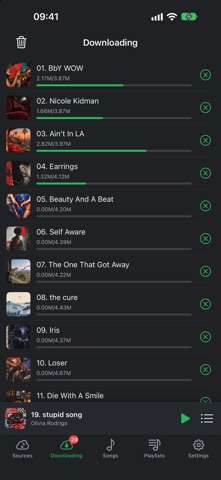
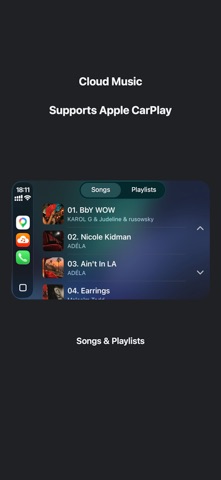
Supports Apple CarPlay. Your music, ready wherever you go. Bring your personal music collection together in one place. Import songs from your cloud storage or computer, organize your library, and enjoy offline playback. IMPORT YOUR MUSIC • Connect to Google Drive, Dropbox, and OneDrive. • Download music from your cloud storage for offline listening. • Transfer music from your PC or Mac over Wi-Fi. • Import audio using Files or Finder/iTunes File Sharing. • Play MP3, M4A (AAC/ALAC), M4B, AAC, WAV, AIFF, FLAC, and more. LISTEN YOUR WAY • Play downloaded songs without an internet connection. • Keep listening in the background. • Control playback from the Lock Screen. • Repeat a song, repeat your queue, or shuffle your music. • Set a sleep timer for bedtime listening. • Quickly access playback controls with the mini player. KEEP YOUR LIBRARY ORGANIZED • Create, rename, and edit playlists. • Add songs to your playlists and arrange your collection. • Search your library to find a track. • Edit song names and artist information. MAKE IT YOURS • Choose light or dark appearance. • Personalize the app with a selection of theme colors. • Browse your music with album artwork and clear song details. From your daily commute to a quiet evening at home, keep your music close and enjoy it offline.
Screenshots