Atom Browser: Adblock, Scripts
li jiacheng

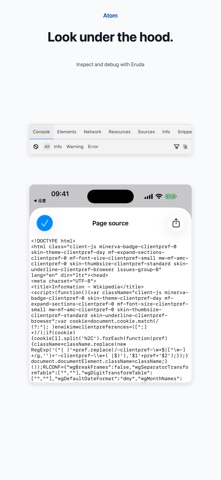
The web, on your terms. Follow an idea. Choose where to search. Stay with what interests you. Atom combines ad filtering, its own behavior detection, flexible search, video controls, AI summaries and extensions to give you more control over everyday browsing. BLOCK ADS AND UNWANTED BEHAVIOR Established ad-filter lists work alongside Atom's behavior-based detection to help reduce ad pop-ups, dynamically inserted ad resources and suspicious redirects. Choose Conservative, Balanced or Strict detection and adjust individual controls. SEARCH YOUR WAY Type or use voice input, switch search providers or add a custom search engine. Keep destinations close with favorite sites, editable shortcuts and recent visits. CONTROL WEB VIDEO Choose 0.5x–16x speed options on supported videos. Use a floating player, Picture in Picture or full screen. Loop playback, skip, capture a frame, mirror the image, lock controls or set a sleep timer. UNDERSTAND AND CUSTOMIZE Generate page summaries, categories and keywords in multiple languages through a supported third-party AI account. Import compatible Web Extensions or create and import UserScripts. Optional extensions add Markdown reading and other page tools. EVERYDAY TOOLS Page translation, full-page screenshots, find in page, auto-refresh, QR tools and source viewing. Manage downloads, organize local files, extract ZIP archives and use bookmarks, Reading List and private tabs. Optional iCloud sync covers bookmarks and selected settings. AVAILABILITY Web Extensions and AI page tools require iOS/iPadOS 18.4 or later. Extension and script compatibility depends on the APIs used. AI summaries require signing into DeepSeek, Doubao or Kimi; starting a task sends required page text to the selected provider. Provider availability, limits and results vary. Some extension interfaces currently use Chinese. Markdown and additional page tools require separate extension import. Filtering and video features vary by website and media. Private tabs do not provide anonymity. Download only content you have permission to save; DRM-protected content and some streams are unsupported. FILTER PLANS Mini includes EasyList China starter rules, focused on Chinese-language sites. Atom Pro is an additional purchase and adds EasyList, EasyPrivacy, anti-circumvention and annoyance filters. Maintained Pro rules are delivered with app updates. Subscriptions and purchases Monthly Pro and Annual Pro renew automatically. Lifetime Pro is a one-time purchase. Payment is charged to your Apple Account on confirmation. Subscriptions renew unless canceled at least 24 hours before the current period ends. The purchase screen displays the applicable local App Store price. Manage or cancel in Settings > Apple Account > Subscriptions. Use Restore Purchases on the Atom Pro screen to restore eligible purchases. Mini remains available when a subscription expires. No Atom account is required. Terms of Use: https://www.seawealthy.com/atom/protocal/v1/member.html Privacy Policy: https://www.seawealthy.com/atom/protocal/v1/privacy_url
Screenshots