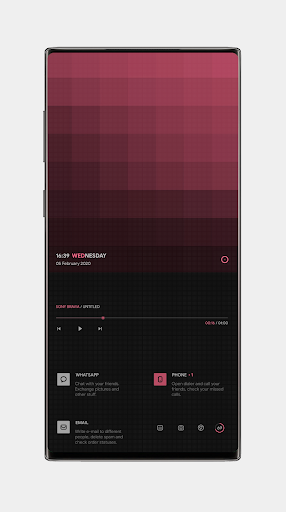
Squares theme for KLWP
Hewood00

This is not a stand alone app. Theme requires Kustom Live Wallpaper Maker PRO application (not free version of this app).
Squares theme for KLWP supports all screen ratios.
To change the default color (red) to another you need to select in KLWP:
Globals→"color1" and set your color.
What you need:
✔ Kustom (KLWP) PRO
✔ Compatible launcher that supported by KLWP (Nova launcher is recommended)
How to install:
✔ Download Squares theme for KLWP and KLWP PRO application
✔ Open your KLWP app, choose menu icon on top left, then load preset
✔ Find and tap on the Squares theme for KLWP
✔ Hit "SAVE" button on the top right
Instructions:
In the Nova launcher settings you need:
✔ select 1 screen
✔ hide status bar and dock
In the KLWP settings you need:
✔ select 1 screen
Please contact me with any questions/issues before leaving a negative rating about Squares theme for KLWP.
Squares theme for KLWP supports all screen ratios.
To change the default color (red) to another you need to select in KLWP:
Globals→"color1" and set your color.
What you need:
✔ Kustom (KLWP) PRO
✔ Compatible launcher that supported by KLWP (Nova launcher is recommended)
How to install:
✔ Download Squares theme for KLWP and KLWP PRO application
✔ Open your KLWP app, choose menu icon on top left, then load preset
✔ Find and tap on the Squares theme for KLWP
✔ Hit "SAVE" button on the top right
Instructions:
In the Nova launcher settings you need:
✔ select 1 screen
✔ hide status bar and dock
In the KLWP settings you need:
✔ select 1 screen
Please contact me with any questions/issues before leaving a negative rating about Squares theme for KLWP.
Developer email
hewood00@gmail.com
Released
Feb 5, 2020
Current version
v3e3k35t240730
Android version
8.0
Screenshots