Flint: Voice Note with AI
Klu Technologies

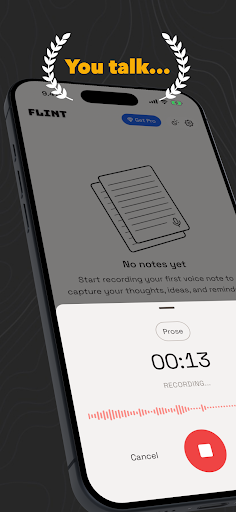
You talk. Flint writes.
Stop typing your thoughts. Just hit record, speak freely, and Flint turns your voice into a beautifully formatted note in seconds.
WHETHER YOU'RE ON THE GO, IN A MEETING, OR HALF ASLEEP:
Flint captures every idea before it slips away. Speak naturally and get back a polished note, checklist, story, action plan, or any custom format you define. Because you know your work better than anyone.
WHAT FLINT DOES:
- Transcribes your voice with high accuracy
- Automatically summarizes and formats your note
- Custom note formats: you define the structure, Flint fills it in
- AI chat across all your notes: ask questions, get answers, take action
- Add calendar events directly from your voice
- Cross-references your notes to surface what matters
- Mobile-first: built for iPhone with beautiful interface
CALENDAR-AWARE:
Mention a meeting, deadline, or event while recording. Flint picks it up and adds it to your calendar. No extra steps, no copy-pasting.
ASK ANYTHING ABOUT YOUR NOTES:
Flint's AI isn't just for one note — it works across your entire knowledge base. Ask what you decided last Tuesday, what tasks are still open, or what someone's phone number was. Flint finds it.
PRIVACY FIRST:
Your notes are yours. Flint stores your data privately in your phone. No ads and no selling of your personal information ever.
ONE-TIME PURCHASE. NO SUBSCRIPTION.
Because who wants another monthly bill? Pay once, use Flint forever. Upgrade to Pro to use your own AI provider.
Don't think. Just say it.
Stop typing your thoughts. Just hit record, speak freely, and Flint turns your voice into a beautifully formatted note in seconds.
WHETHER YOU'RE ON THE GO, IN A MEETING, OR HALF ASLEEP:
Flint captures every idea before it slips away. Speak naturally and get back a polished note, checklist, story, action plan, or any custom format you define. Because you know your work better than anyone.
WHAT FLINT DOES:
- Transcribes your voice with high accuracy
- Automatically summarizes and formats your note
- Custom note formats: you define the structure, Flint fills it in
- AI chat across all your notes: ask questions, get answers, take action
- Add calendar events directly from your voice
- Cross-references your notes to surface what matters
- Mobile-first: built for iPhone with beautiful interface
CALENDAR-AWARE:
Mention a meeting, deadline, or event while recording. Flint picks it up and adds it to your calendar. No extra steps, no copy-pasting.
ASK ANYTHING ABOUT YOUR NOTES:
Flint's AI isn't just for one note — it works across your entire knowledge base. Ask what you decided last Tuesday, what tasks are still open, or what someone's phone number was. Flint finds it.
PRIVACY FIRST:
Your notes are yours. Flint stores your data privately in your phone. No ads and no selling of your personal information ever.
ONE-TIME PURCHASE. NO SUBSCRIPTION.
Because who wants another monthly bill? Pay once, use Flint forever. Upgrade to Pro to use your own AI provider.
Don't think. Just say it.
Developer email
support@flintvoice.app
Developer website
https://flintvoice.appReleased
May 23, 2026
Current version
1.1.9
Android version
7.0
Screenshots