Skinny Jump
Spark New Zealand Trading Limited

The Skinny Jump app makes it easy to manage your account – check your balance, top up and renew your Skinny Jump plan when you’re on the go.
*****Handy tips for getting the app setup*****
If you are new to Skinny Jump to set up this app you will need to enter the broadband number from your Skinny Jump modem. To receive your Skinny Jump modem and to register for Skinny Jump you need to visit a local Jump partner before downloading this app. To find your nearest partner check out www.skinny.co.nz/jump/. The broadband number can be found at the back or underneath the Skinny Jump modem.
If you are an existing Skinny Jump customer you need to Sign Up to set up the app, your username and password can be the same as your current sign in, but these are not linked.
*****About the app*****
1. Manage your account with the Skinny Jump app:
Activate your Skinny Jump modem and get connected
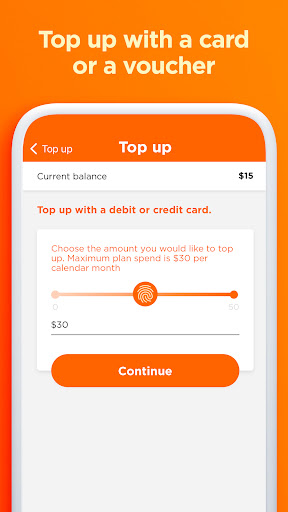
2. Top up your account using a voucher or a new card.
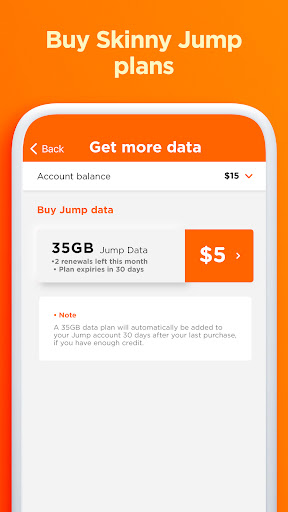
3. Renew your Skinny Jump plan- up to 6 times each month.
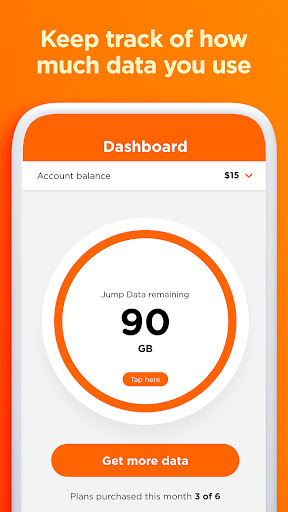
4. Check your balance to see how much data you have, and how much more you can use.
Use the app and start making the most of it. The app is free, but just a heads up: You’ll use a little bit of data downloading it, so be savvy and hook into some Wi-Fi if you’re running low on data.
*****Handy tips for getting the app setup*****
If you are new to Skinny Jump to set up this app you will need to enter the broadband number from your Skinny Jump modem. To receive your Skinny Jump modem and to register for Skinny Jump you need to visit a local Jump partner before downloading this app. To find your nearest partner check out www.skinny.co.nz/jump/. The broadband number can be found at the back or underneath the Skinny Jump modem.
If you are an existing Skinny Jump customer you need to Sign Up to set up the app, your username and password can be the same as your current sign in, but these are not linked.
*****About the app*****
1. Manage your account with the Skinny Jump app:
Activate your Skinny Jump modem and get connected
2. Top up your account using a voucher or a new card.
3. Renew your Skinny Jump plan- up to 6 times each month.
4. Check your balance to see how much data you have, and how much more you can use.
Use the app and start making the most of it. The app is free, but just a heads up: You’ll use a little bit of data downloading it, so be savvy and hook into some Wi-Fi if you’re running low on data.
Developer email
SkinnyJumpSquad@spark.co.nz
Developer website
https://www.skinny.co.nz/jump/home/Current version
1.3.2
Android version
7.0
Screenshots