Measure Master
nohkeun park

Measure what you can't reach.
Measure Master is a professional measurement app designed for situations where traditional measuring tools are difficult or impossible to use.
Whether you need to measure a distant building facade, a construction site, factory equipment, or an irregular object on your screen, Measure Master provides the right measurement mode for the job.
One app. Three powerful measurement modes.
Three Measurement Modes
Remote Mode
Measure objects that are difficult or unsafe to approach.
Perfect for:
• Building facades
• Construction sites
• Bridges
• Industrial facilities
• Outdoor structures
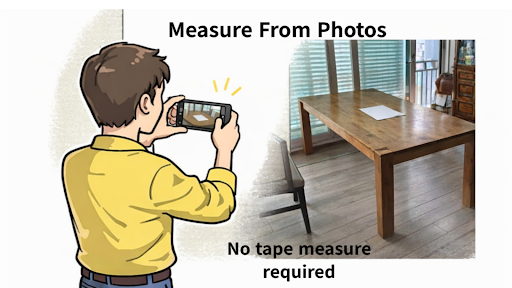
Simply place a known reference rectangle (such as A4 paper) in the photo, and Measure Master uses perspective calibration to calculate real-world lengths and areas from a single image.
Close-range Mode
Use AR technology for quick measurements at close distance.
Ideal for:
• Furniture
• Doors
• Windows
• Rooms
• Interior work
The app automatically creates the reference square using the AR camera for fast on-site measurement.
Screen Mode
Measure directly on your phone or tablet screen.
Useful for:
• Fabric samples
• Leaves
• Mechanical parts
• Drawings
• Irregular shapes
Automatically calculate perimeter and area of free-form objects.
Why Measure Master?
✔ Three measurement modes in one app
✔ Measure distant objects from a single photo
✔ Easy perspective calibration
✔ Accurate area calculation
✔ Designed for field work
✔ Save measurements for later analysis
✔ Simple and intuitive interface
Perfect For
Construction
Civil engineering
Architecture
Landscaping
Manufacturing
Property inspection
Facility management
Research
Education
DIY
Future Vision
Measure Master is continuously evolving.
Future professional features include AI-assisted object detection, automatic perspective correction, and intelligent field measurement workflows.
Measure Master is a professional measurement app designed for situations where traditional measuring tools are difficult or impossible to use.
Whether you need to measure a distant building facade, a construction site, factory equipment, or an irregular object on your screen, Measure Master provides the right measurement mode for the job.
One app. Three powerful measurement modes.
Three Measurement Modes
Remote Mode
Measure objects that are difficult or unsafe to approach.
Perfect for:
• Building facades
• Construction sites
• Bridges
• Industrial facilities
• Outdoor structures
Simply place a known reference rectangle (such as A4 paper) in the photo, and Measure Master uses perspective calibration to calculate real-world lengths and areas from a single image.
Close-range Mode
Use AR technology for quick measurements at close distance.
Ideal for:
• Furniture
• Doors
• Windows
• Rooms
• Interior work
The app automatically creates the reference square using the AR camera for fast on-site measurement.
Screen Mode
Measure directly on your phone or tablet screen.
Useful for:
• Fabric samples
• Leaves
• Mechanical parts
• Drawings
• Irregular shapes
Automatically calculate perimeter and area of free-form objects.
Why Measure Master?
✔ Three measurement modes in one app
✔ Measure distant objects from a single photo
✔ Easy perspective calibration
✔ Accurate area calculation
✔ Designed for field work
✔ Save measurements for later analysis
✔ Simple and intuitive interface
Perfect For
Construction
Civil engineering
Architecture
Landscaping
Manufacturing
Property inspection
Facility management
Research
Education
DIY
Future Vision
Measure Master is continuously evolving.
Future professional features include AI-assisted object detection, automatic perspective correction, and intelligent field measurement workflows.
Developer email
pnk506@gmail.com
Developer website
http://measure-master.netReleased
Mar 2, 2026
Current version
1.5.03-p.08.07
Android version
8.0
Screenshots