Applock - Safe Lock for Apps
TarrySoft

4.7 stars48,463 reviews1,000,000+Free
ProductivityEveryoneVersion 2.10.6Updated 2/5/2025, 2:17:59 PM
Open in Store★ Protect your Privacy with AppLock - Lock Apps with PIN or Pattern★
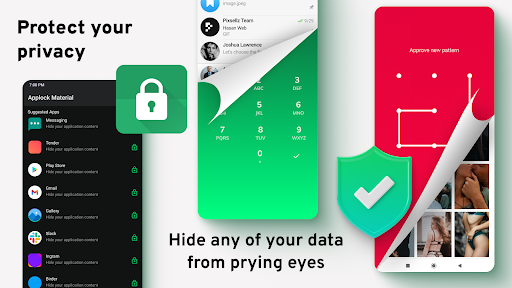
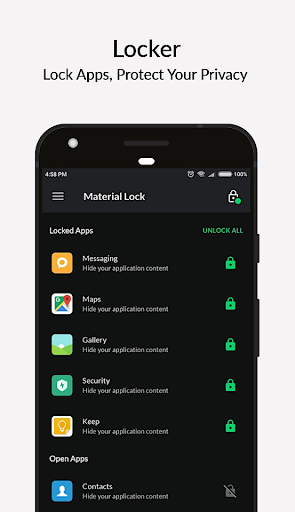
Lock APPs, Gallery, videos, messages, social media applications, and files from friends or curious eyes to protect your privacy! Stabile and easy-to-use App Locker, your safety expert! The safest way to Lock apps with password!
App Lock can help you to hide any app and keep your privacy using an app locker. You can open hidden apps in the Applock or your phone's interface.
——Features of AppLock - Lock Apps——
🔒 AppLock can lock Social apps: Never worry about someone checking your social media apps! Lock apps with password!
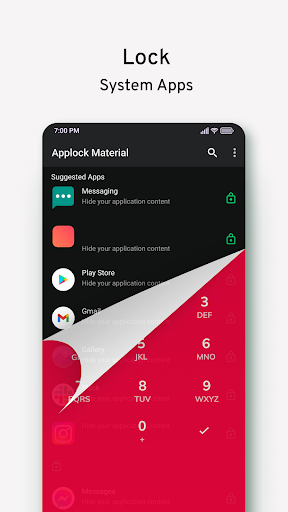
🛡AppLock can lock System apps: Gallery, SMS, Contacts, Gmail, Settings, Play Store, incoming calls, and any app you choose. Prevent unauthorized access and guard privacy. Ensure security!
⚡ AppLock can lock Shopping Apps.
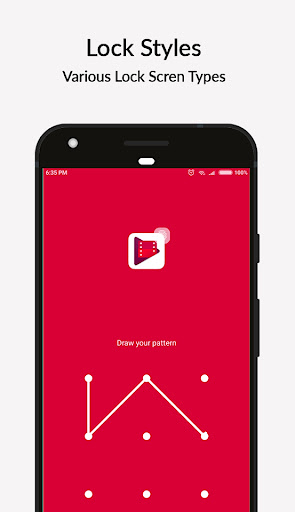
🔢 AppLock has multiple lock types: PIN Lock, Pattern Lock. Choose your favorite style to lock app.
🖼️ App Lock has a photo vault: Keep a safe Gallery and hide your photos. Encrypt Gallery to make it a photo vault. Keep your memories secure - Photo safe.
🔑 App Lock support screen lock: Never worry about friends borrowing your phone to play games with mobile data again!
❇️ App Lock has rich themes: We have built-in sets of beautiful Pattern and PIN themes for your choice and will continue to update.
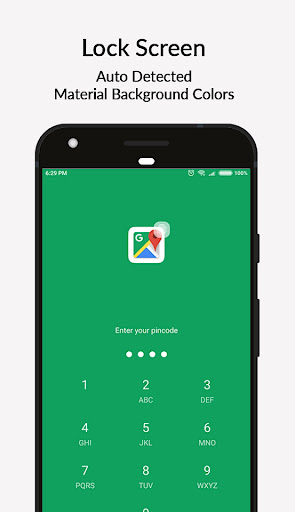
🌀 Auto Background: Lock screen background is set according to application.
👍 Easy to use: One click to enable/disable App Locker.
Hide Apps Tool is a secret app where you can hide almost anything, such as dating, social, and other apps.
Did you forget your password?
Open the App lock - Private Folder and click the icon at the top right corner of the lock page. Next, tap 'Forgot Password' and enter the security answer you predefined in the settings section.
AppLock uses Device Administrator permission.
It's only used to prevent intruders from uninstalling the App Locker.
Lock APPs, Gallery, videos, messages, social media applications, and files from friends or curious eyes to protect your privacy! Stabile and easy-to-use App Locker, your safety expert! The safest way to Lock apps with password!
App lock tool is the unique lock app and hide apps tool for your secret apps!
App Lock can help you to hide any app and keep your privacy using an app locker. You can open hidden apps in the Applock or your phone's interface.
Applock - Lock Apps - a unique tool created to hide apps!
——Features of AppLock - Lock Apps——
🔒 AppLock can lock Social apps: Never worry about someone checking your social media apps! Lock apps with password!
🛡AppLock can lock System apps: Gallery, SMS, Contacts, Gmail, Settings, Play Store, incoming calls, and any app you choose. Prevent unauthorized access and guard privacy. Ensure security!
⚡ AppLock can lock Shopping Apps.
🔢 AppLock has multiple lock types: PIN Lock, Pattern Lock. Choose your favorite style to lock app.
🖼️ App Lock has a photo vault: Keep a safe Gallery and hide your photos. Encrypt Gallery to make it a photo vault. Keep your memories secure - Photo safe.
🔑 App Lock support screen lock: Never worry about friends borrowing your phone to play games with mobile data again!
❇️ App Lock has rich themes: We have built-in sets of beautiful Pattern and PIN themes for your choice and will continue to update.
🌀 Auto Background: Lock screen background is set according to application.
👍 Easy to use: One click to enable/disable App Locker.
Hide Apps Tool is a secret app where you can hide almost anything, such as dating, social, and other apps.
Did you forget your password?
Open the App lock - Private Folder and click the icon at the top right corner of the lock page. Next, tap 'Forgot Password' and enter the security answer you predefined in the settings section.
AppLock uses Device Administrator permission.
It's only used to prevent intruders from uninstalling the App Locker.
Developer email
support.applocker@kigelapps.com
Developer website
https://kigelapps.com/applockerReleased
Jan 21, 2017
Current version
2.10.6
Android version
5.1
Reviews & Ratings
4.7
out of 5
5
4
3
2
1
🌟 Loved by users
48,463 reviewsScreenshots