Canon Print Service
Canon Inc.

3.2 stars143,664 reviews50,000,000+Free
ToolsEveryoneVersion VARYUpdated 2/25/2026, 2:10:57 AM
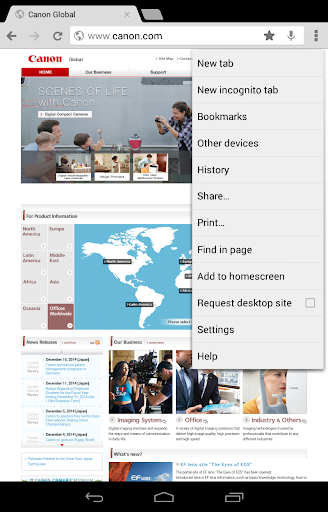
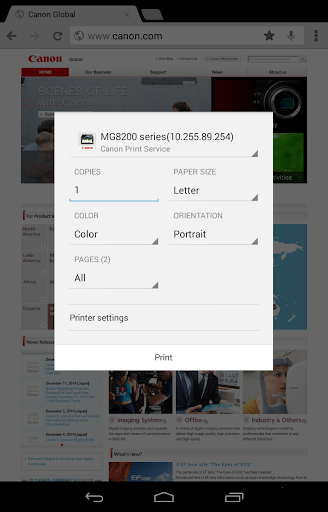
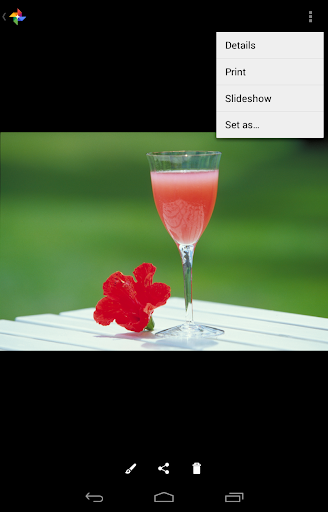
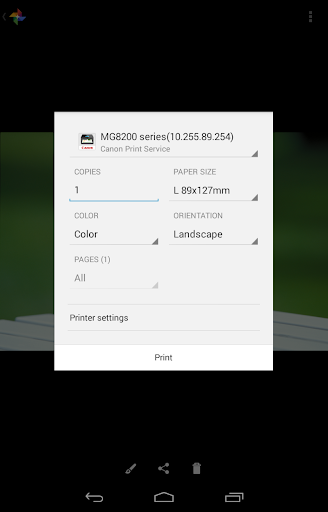
Open in StoreCanon Print Service is software that can print simply from the menus of applications that support Android's printing subsystem. It can print from smart phones and tablets using Canon printers connected to wireless networks.
Main features:
- Switching between color and black-and-white printing
- 2-sided printing
- 2 on 1 printing
- Borderless printing
- Stapling pages
- Setting paper types
- Secure printing
- Department ID management
- PDF direct printing
- Printer discovery by specifying IP address
- Recall from the share menu
* Items that can be set vary depending on the printer you are using.
*When opening the app, if you are asked to grant permission for notifications, please tap "Allow".
If you are using a mobile terminal with Android 6 or earlier installed:
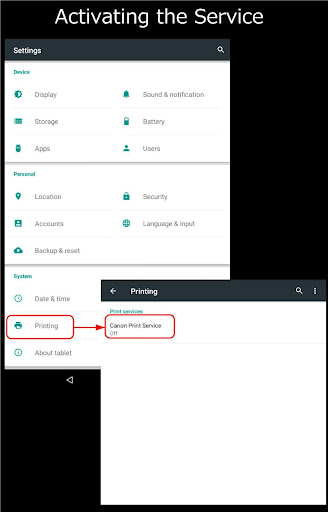
You need to activate the Canon Print Service for printing using it. The Canon Print Service is not activated immediately after installation. Activate it using one of the following methods.
- Tap the icon displayed in the notification area immediately after installation, and activate the service in the displayed settings screen.
- Tap [Settings] > [Printing] > [Canon Print Service], and activate the service in the displayed settings screen.
* If you are using a mobile terminal with Android 7 or later installed, the service is automatically activated after installation.
Compatible printers:
- Canon Inkjet Printers
PIXMA TS series, TR series, MG series, MX series, G series, GM series, E series, PRO series, MP series, iP series, iX series
MAXIFY MB series, iB series, GX series, BX series
imagePROGRAF PRO series, GP series, TX series, TM series, TA series, TZ series, TC series
*Except for some models
- imageFORCE series
- imageRUNNER ADVANCE series
- Color imageRUNNER series
- imageRUNNER series
- Color imageCLASS series
- imageCLASS series
- i-SENSYS series
- imagePRESS series
- LBP series
- Satera series
- Laser Shot series
- Compact Photo Printers
SELPHY CP900 series, CP1200, CP1300, CP1500
Main features:
- Switching between color and black-and-white printing
- 2-sided printing
- 2 on 1 printing
- Borderless printing
- Stapling pages
- Setting paper types
- Secure printing
- Department ID management
- PDF direct printing
- Printer discovery by specifying IP address
- Recall from the share menu
* Items that can be set vary depending on the printer you are using.
*When opening the app, if you are asked to grant permission for notifications, please tap "Allow".
If you are using a mobile terminal with Android 6 or earlier installed:
You need to activate the Canon Print Service for printing using it. The Canon Print Service is not activated immediately after installation. Activate it using one of the following methods.
- Tap the icon displayed in the notification area immediately after installation, and activate the service in the displayed settings screen.
- Tap [Settings] > [Printing] > [Canon Print Service], and activate the service in the displayed settings screen.
* If you are using a mobile terminal with Android 7 or later installed, the service is automatically activated after installation.
Compatible printers:
- Canon Inkjet Printers
PIXMA TS series, TR series, MG series, MX series, G series, GM series, E series, PRO series, MP series, iP series, iX series
MAXIFY MB series, iB series, GX series, BX series
imagePROGRAF PRO series, GP series, TX series, TM series, TA series, TZ series, TC series
*Except for some models
- imageFORCE series
- imageRUNNER ADVANCE series
- Color imageRUNNER series
- imageRUNNER series
- Color imageCLASS series
- imageCLASS series
- i-SENSYS series
- imagePRESS series
- LBP series
- Satera series
- Laser Shot series
- Compact Photo Printers
SELPHY CP900 series, CP1200, CP1300, CP1500
Developer email
printservice-g@mail.canon
Developer website
https://global.canon/psmp/Released
Feb 6, 2014
Current version
VARY
Android version
VARY
Reviews & Ratings
3.2
out of 5
5
4
3
2
1
😕 Lower user ratings overall
143,664 reviewsScreenshots